Message your team about a patient
Start a conversation with other staff about one patient on the Communications tab; it stays with the patient's file.
Last updated October 22, 2026
Who can do this: Admin, Nurse Case Manager, Internal Case Manager, Billing Staff
The Communications tab shows unless your company has hidden it. Ask support at admin@casemgmt.io.
Steps
- Open the patient and click the Communications tab.
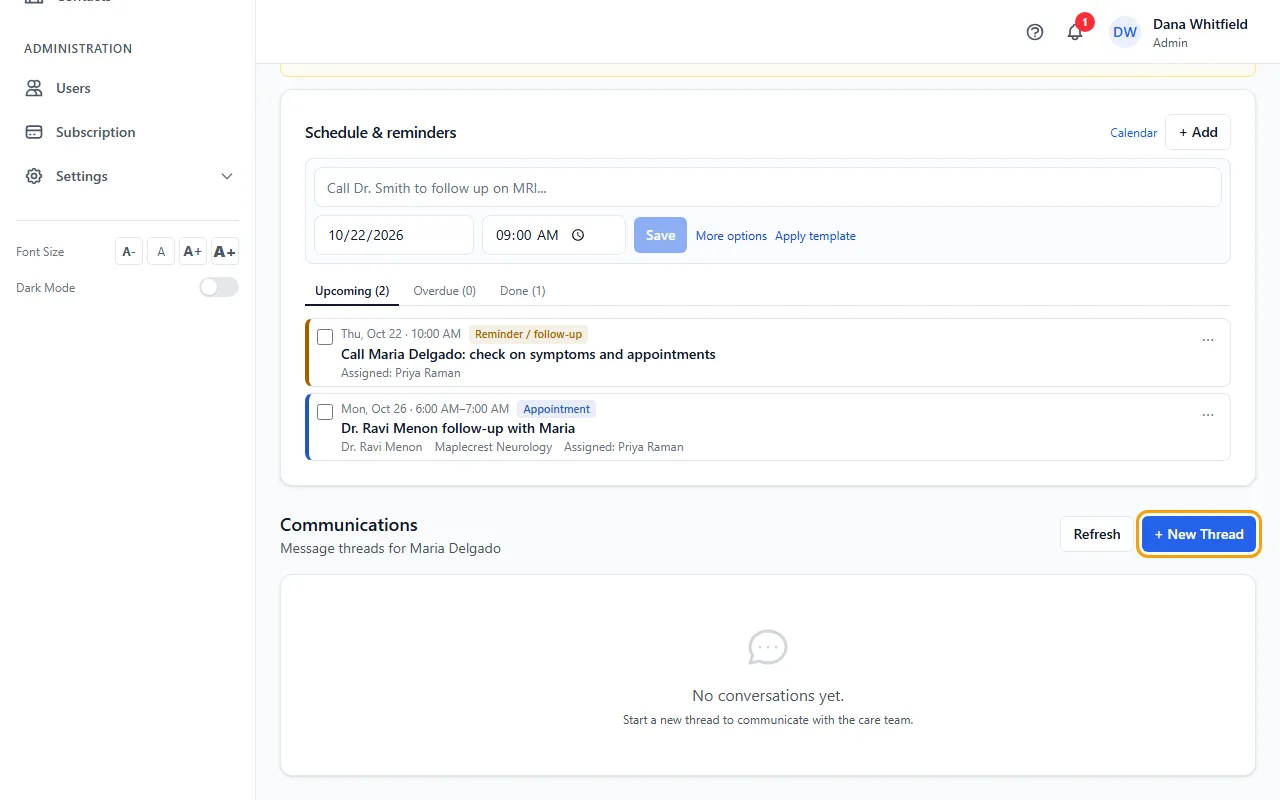
- Click + New Thread.
- Type a Subject, tick the people under Select Participants, and write your Message.
- Click Start Conversation. Everyone you picked gets a notification.
- Click a conversation to open it, type your reply and click Send Reply (or press Ctrl+Enter).
Who sees it
Only the people in a conversation see it. You're added to conversations you start. Patients never see these messages.
The list shows the conversations you're in for this patient, with who's in each and the latest message. Click Refresh to check for new ones.