Put the auto claim number in Box 1a
With this switch on, CMS-1500 Box 1a uses the patient's auto insurance claim number whenever one is on file.
Last updated October 22, 2026
Who can do this: Admin, Billing Staff
Your company must have this turned on. Ask support at admin@casemgmt.io.
Steps
- Open the patient and click the Insurance & Claims tab.
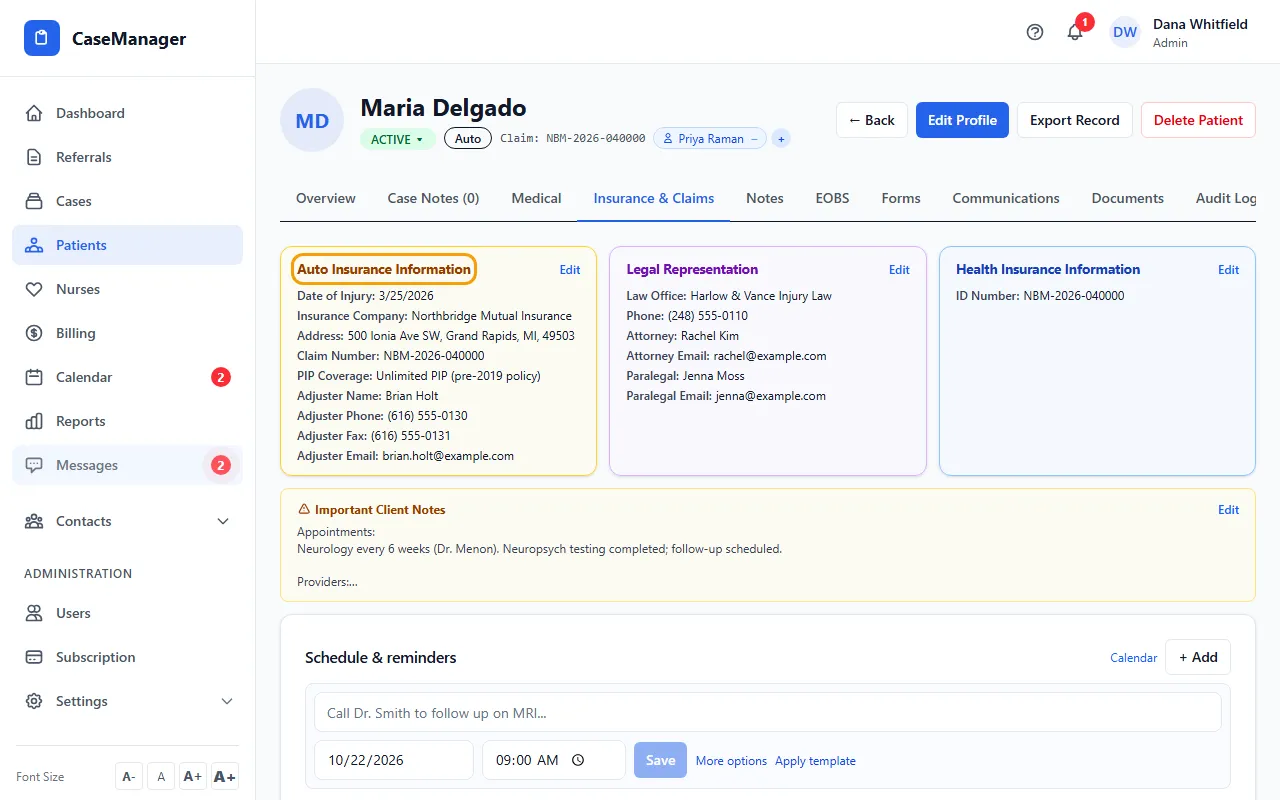
- Check that Claim Number is filled in under Auto Insurance Information.
- Open the patient's claim from the batch's Actions menu. Box 1a shows the auto claim number.
How it works
With the switch on, Box 1a (Insured's I.D. Number) is the patient's auto insurance Claim Number when there is one. Without one, Box 1a uses the ID Number from Health Insurance Information, as it does when the switch is off.
The health insurance details stay in Boxes 11 and 11c.
It applies to every CMS-1500 built from then on: in the editor, on View and Download, and when you email or fax a batch. A form you already saved in the CMS-1500 editor keeps the Box 1a value it was saved with.