Connect QuickBooks Online
Send your organizations, invoices and nurse payroll hours to QuickBooks Online so nobody types them in twice.
Last updated October 22, 2026
Who can do this: Admin
Before you start
- A QuickBooks Online subscription (any plan). You must sign in to QuickBooks as the company admin or master administrator.
- For W-2 hours to fill in QuickBooks Run Payroll: a QuickBooks Online Payroll subscription, with each nurse set up as an hourly employee with “Use time entries to create paychecks” turned on. Without it, the hours still arrive as timesheet entries.
Steps
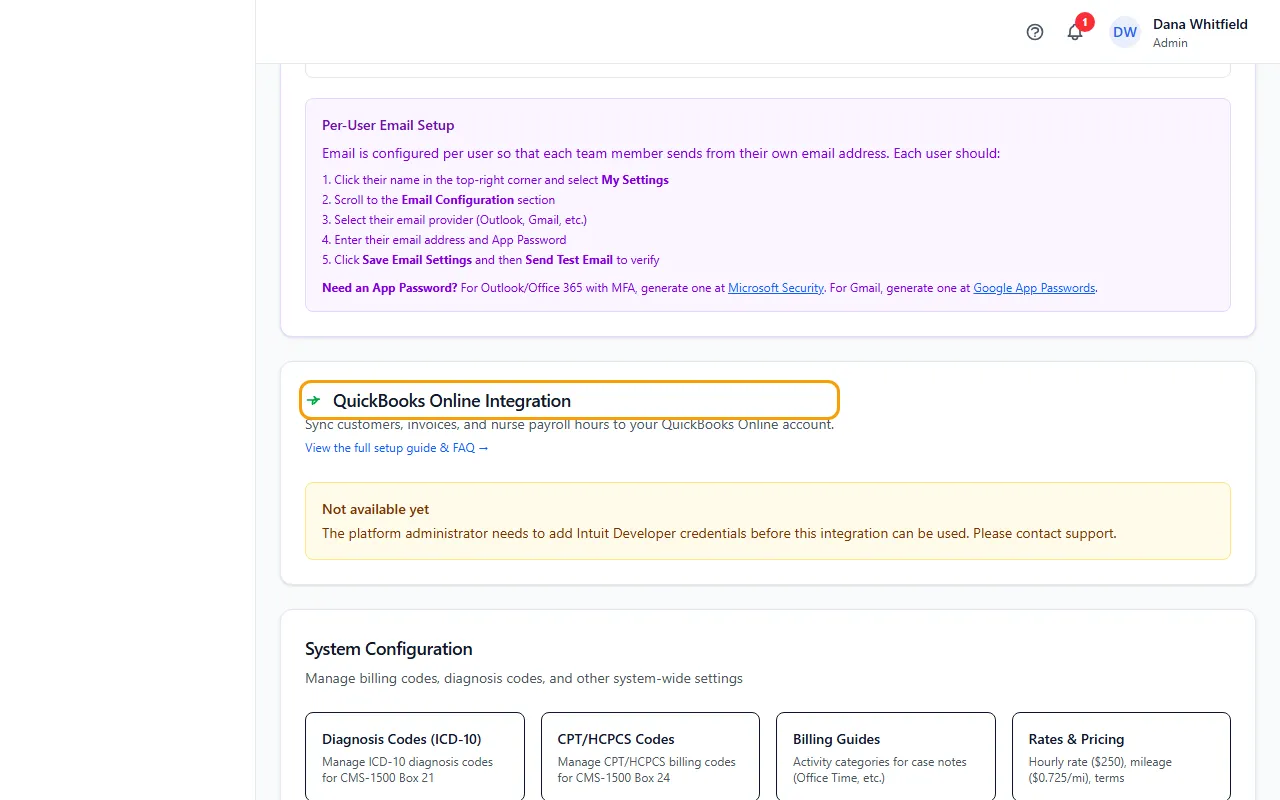
- Go to Administration > Settings and find QuickBooks Online Integration. View the full setup guide & FAQ opens the complete guide.
- Under How you pay nurses, choose W-2 Employees (default) or 1099 Contractors. This is the default for new nurses. Change a single nurse with Payroll Classification on the Nurses page.
- Click Connect to QuickBooks, sign in to Intuit and choose your company.
- Approve the connection. You come back to Settings with “QuickBooks connected successfully.” and the card shows Connected.
- Under What to sync, untick anything you don't use: invoices or nurse payroll.
- If you like, click Sync customers to QuickBooks to load all your organizations as QuickBooks customers in one go.
What gets sent
Customers: law firms, insurance companies and other organizations become QuickBooks customers. Ones already in QuickBooks are matched by name, not duplicated. An organization is also added the first time you push an invoice billed to it.
Invoices: pushed automatically when an invoice is marked Sent. The Billing page's QBO column shows a green check when synced, or Retry when a push failed (hover to see why). If you edit an invoice after it synced, it's flagged out of date: update it in QuickBooks, then clear the flag.
Push missing invoices to QuickBooks retries failed pushes and catches invoices sent before you connected.
Batch invoices are sent only when you click Push batch invoices to QuickBooks. Each batch becomes one QuickBooks invoice to its insurance carrier, with a line per patient case (case number only). A batch with more than one carrier, or a patient with no carrier, is skipped with a note.
Nurse payroll: W-2 nurses become QuickBooks employees and their unpaid hours go in as timesheet entries. 1099 nurses become vendors with a bill per pay period. Each pay period, open Billing, the Nurse Payroll tab, pick the dates and click Push hours to QuickBooks. Then run payroll or pay the bills in QuickBooks.
What it does not do
It doesn't run payroll or pay anyone. You review and pay inside QuickBooks.
It never sends patient-billed invoices or patient names.
It doesn't handle sales tax. Remove the tax, or enter that invoice in QuickBooks yourself.
Customers, vendors and employees are matched by exact name. A different spelling creates a new record.
Marking an invoice paid in QuickBooks updates it here only when that payment link is set up on our side. If paid invoices don't update, contact support.
Staying connected
The card shows Authorization valid through a date. After that date, click Connect to QuickBooks again.
Disconnect stops new syncing. It doesn't delete anything already in QuickBooks.
If you connect a different QuickBooks company than before, the earlier links are reset. Run the customer sync and push your invoices again.
If something goes wrong
- The card says Not available yet.
- QuickBooks hasn't been switched on for CaseMgmt yet. Contact support.
- “QuickBooks connection failed: … Try again or contact support.”
- Try again, signed in to QuickBooks as the company admin. If it happens again, email support with the reason shown in the message.
- An invoice failed with “Invoice bill-to organization is missing”.
- That invoice is billed to the patient or has no organization. Patient-billed invoices are never sent. Bill it to the law firm or insurance company if it should sync.
- A customer or nurse appears twice in QuickBooks.
- Names must match exactly. Rename one side to match, or merge the duplicate in QuickBooks.
- Pushed W-2 hours don't show on the QuickBooks timesheet.
- The timesheet opens on the current week, but the hours carry their real service dates. Change the week, or run the Time Activities by Employee Detail report in QuickBooks.
- A 1099 nurse's bill didn't appear.
- Only unpaid hours are sent. Set the nurse to 1099 on their profile first, then push a date range that has their unpaid hours.