Manage diagnosis codes (ICD-10)
Keep the list of ICD-10 diagnosis codes your team picks from on patient files.
Last updated October 22, 2026
Who can do this: Admin
Steps
- Go to Administration > Settings > Diagnosis Codes (ICD-10).
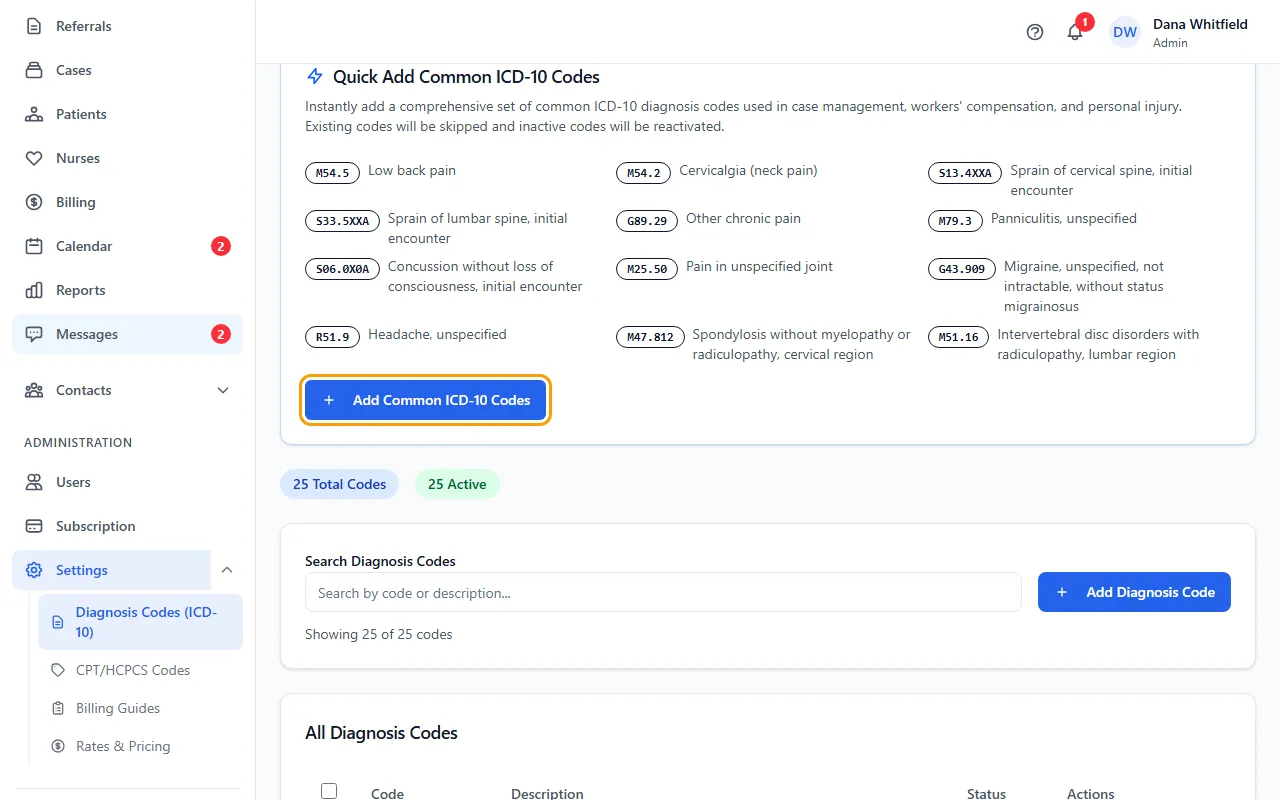
- To start with a ready-made list, click Add Common ICD-10 Codes. Codes you already have are skipped, and inactive ones are turned back on.
- To add your own, click Add Diagnosis Code, enter the ICD-10 Code (for example M54.5) and Description, and click Add Code.
- To change a code, click Edit, make the change and click Update Code.
- Click Deactivate on codes you don't use, or tick several and click Deactivate Selected. Activate brings a code back.
Where these codes are used
Active codes are the ones offered when you add diagnoses on a patient's Medical tab. Settings describes them as the ICD-10 codes for CMS-1500 Box 21.
Deactivated codes stay on the list, faded, with the status Inactive. Nothing is deleted.
If something goes wrong
- “Code and description are required”
- Fill in both ICD-10 Code and Description.