Set the phone numbers and colors on your PDF forms
Choose the phone numbers printed in your PDF form header and the colors used on your PDF forms and patient-facing forms.
Last updated October 22, 2026
Who can do this: Admin
Steps
- Go to Administration > Settings and find Form Header Settings.
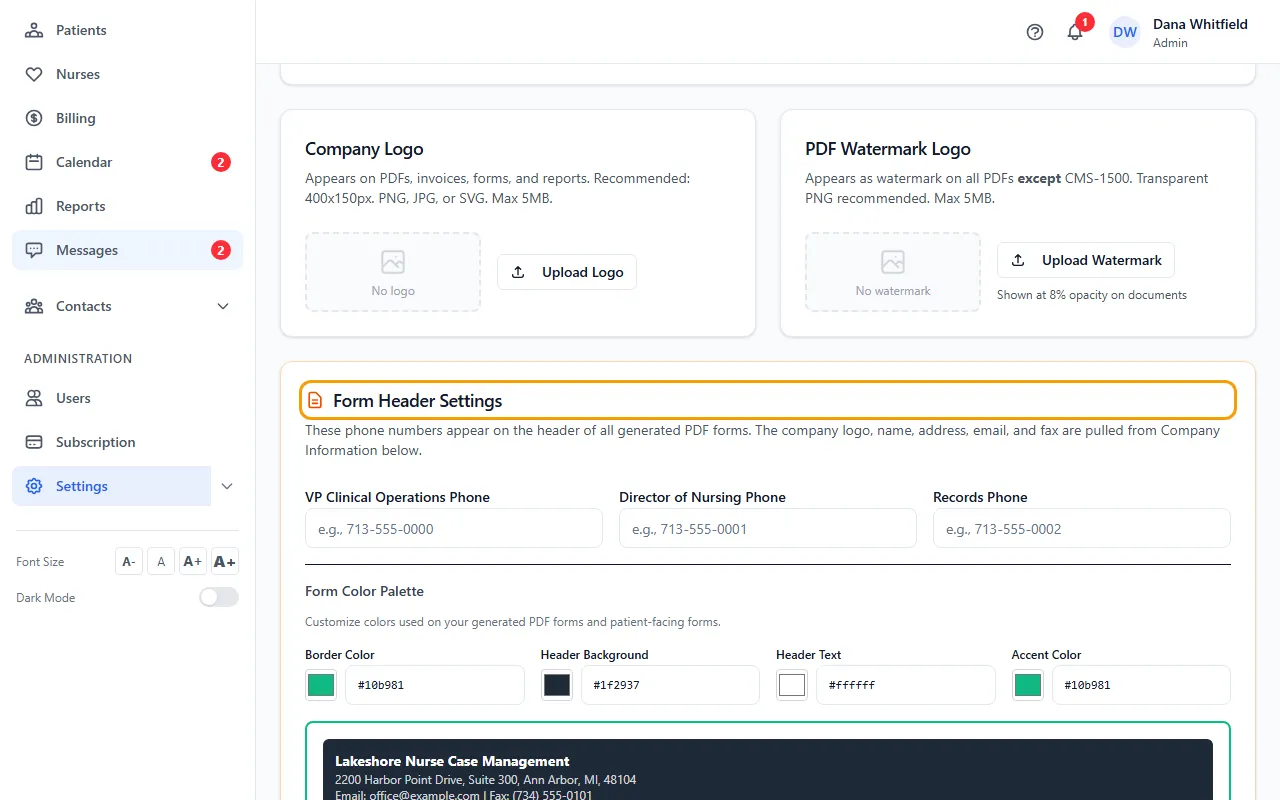
- Enter any of VP Clinical Operations Phone, Director of Nursing Phone and Records Phone. Leave a box empty if you don't use it.
- Under Form Color Palette, set Border Color, Header Background, Header Text and Accent Color. Click the color square, or type a color code such as #1f2937 in the box next to it.
- Check the preview under the colors, then click Save Form Header Settings. You'll see “Form header settings saved!”
Where the rest of the header comes from
The logo, company name, address, email and fax in the header come from Company Logo and Company Information on the same page.
The starting colors are green (#10b981) for the border and accent, dark gray (#1f2937) for the header background and white (#ffffff) for the header text.
Tips
- In the preview, a phone line shows only when it has a number.