Update your company information
Your company name, address, phone, fax, email and website appear on invoices, documents, PDF form headers and the CMS-1500.
Last updated October 22, 2026
Who can do this: Admin
Steps
- Go to Administration > Settings and scroll to Company Information.
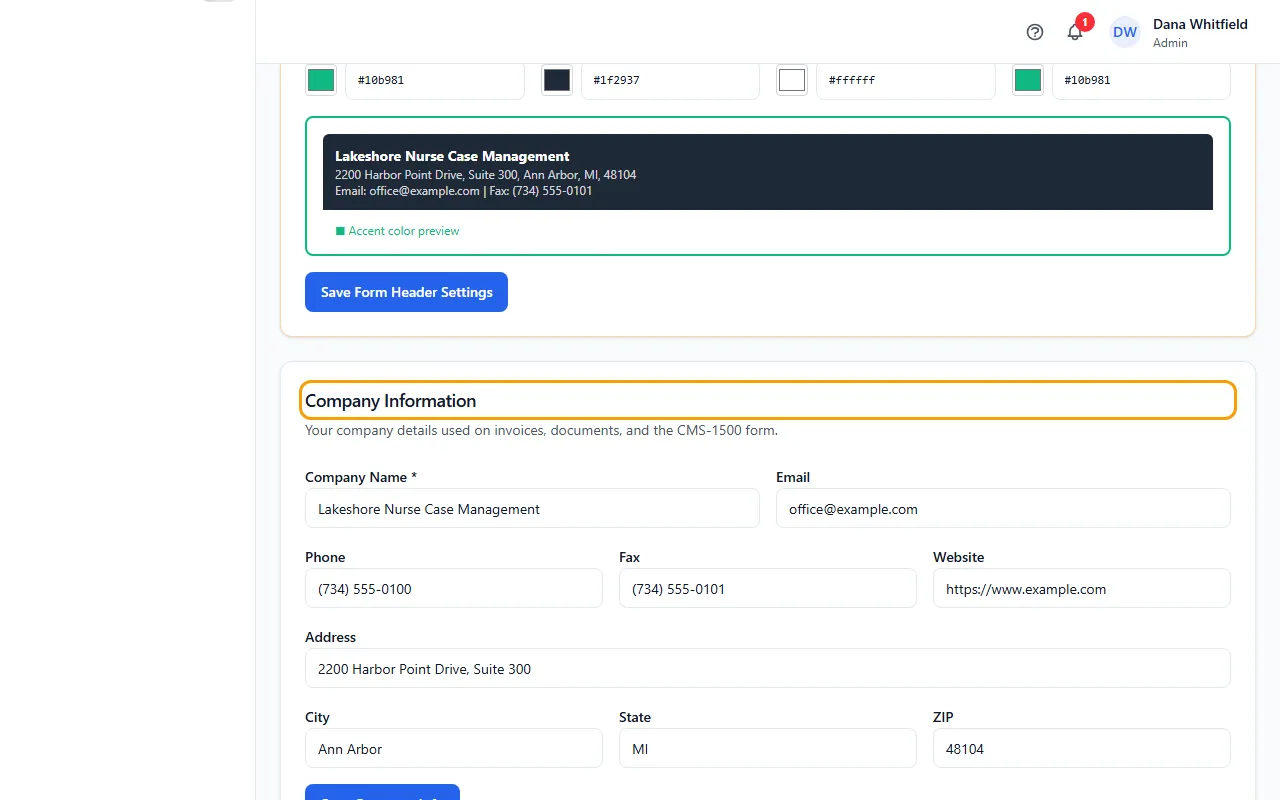
- Fill in Company Name (required), Email, Phone, Fax and Website.
- Fill in Address, City, State and ZIP.
- Click Save Company Info. You'll see “Company info saved successfully!”
Where these details show up
The card says they're used on invoices, documents and the CMS-1500 form.
The header of your generated PDF forms takes the company name, address, email and fax from here.
On the CMS-1500, your company name and address fill Box 33 (Billing Provider).
When automatic emails go out from the CaseMgmt address on your behalf (because your company email isn't set up or isn't working), replies go to the Email saved here.
If something goes wrong
- When you click Save Company Info, your browser asks you to fill in a field.
- Company Name is required. Fill it in and save again.