Change a patient's status
Move a patient through intake, active work, billing and discharge, or mark them as No Coverage.
Last updated October 22, 2026
Who can do this: Admin, Nurse Case Manager, Internal Case Manager
Before you start
- On the patient file, anyone who can edit patients can change the status (Admins, Nurse Case Managers and Internal Case Managers by default). On the Patients list, only Admins and Nurse Case Managers can.
Steps
- Open the patient and click the status badge next to their name (it has a small arrow).
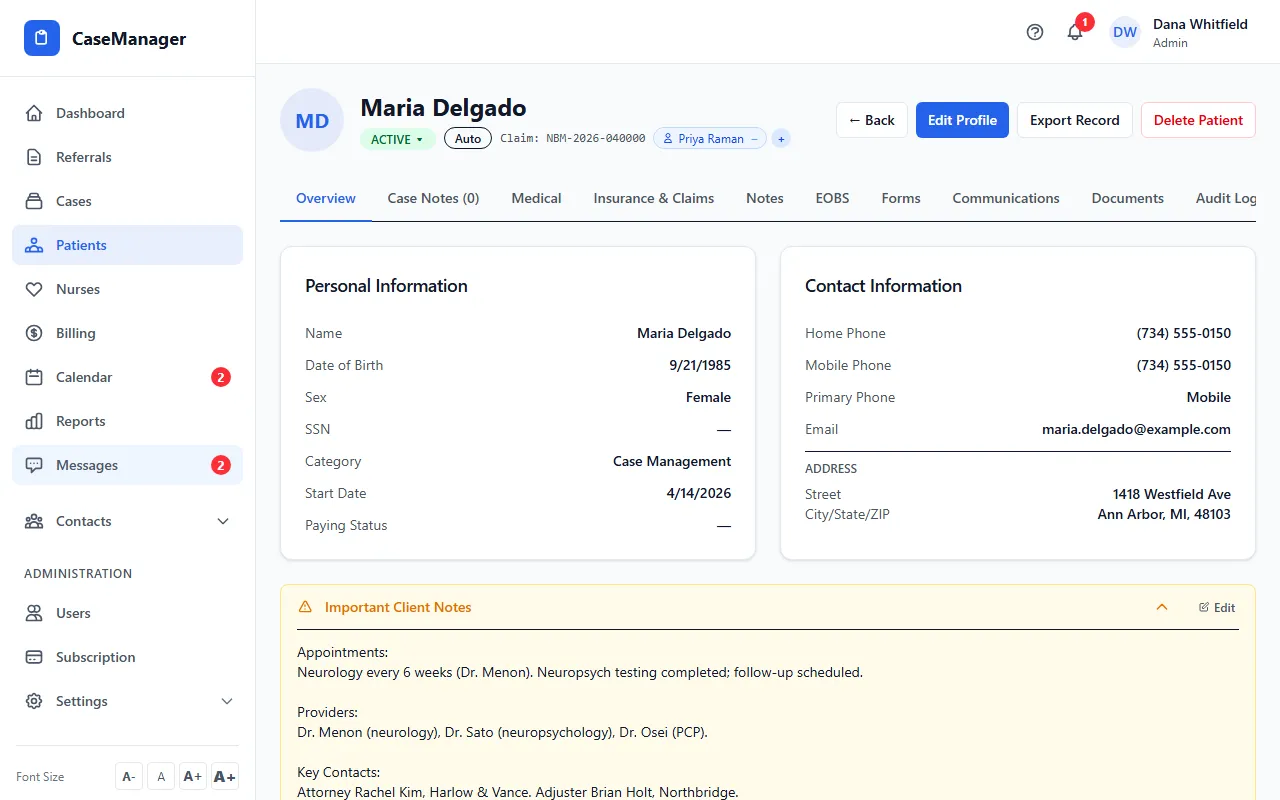
- Pick the new status: INTAKE, ASSESSMENT, ACTIVE, BILLING REVIEW, BILLED, DISCHARGED or CLOSED. It saves straight away.
- To mark a patient as No Coverage, go to Patients, click the patient's status badge in the list and choose NO COVERAGE.
- In Mark as No Coverage, choose the Reason (No coverage / policy invalid, Patient did not continue, Attorney dropped the patient or Other), add a Note (optional), and click Mark as No Coverage.
What changes with the status
The patient's cases move to the same status, except cases that are already CLOSED or BILLED. Those stay as they are, so moving a CLOSED patient back to ACTIVE does not reopen their closed cases.
When the patient's cases end (CLOSED, DISCHARGED, BILLED or NO COVERAGE), the referral they came from is marked completed, so the referral portal stops showing the patient as active. If a case is reopened, its referral shows as in progress again.
CLOSED, BILLED, DISCHARGED and NO COVERAGE patients move to Closed / Ended Patients on the Patients list.
What No Coverage means
No Coverage is for work that can never be billed. Unbilled work on the patient becomes a write-off and stops showing as billable. Nurses are still paid for their hours.
The Loss / Write-offs report on Reports groups these patients by the reason you chose.
It can be undone: change the status back and the reason is cleared.
If something goes wrong
- “Failed to update status”.
- Your login can't edit patients. Ask your Admin.
- I can't click the status badge on the Patients list.
- Only Admins and Nurse Case Managers can change status from the list. Open the patient and use the badge next to their name instead.
- NO COVERAGE isn't in the list on the patient file.
- No Coverage is set from the Patients list, where you're asked for the reason.