Delete a patient
Permanently remove a patient and everything filed under them. Admins only, and only once their cases are closed.
Last updated October 22, 2026
Who can do this: Admin
Before you start
- Deleting can't be undone. It removes the patient's closed and billed cases, case notes, time entries, invoices, batch items, forms, documents and folders.
- If you might need the record later, use Export Record first. To stop working a patient without deleting anything, change their status to CLOSED instead.
Steps
- Open the patient and click Delete Patient.
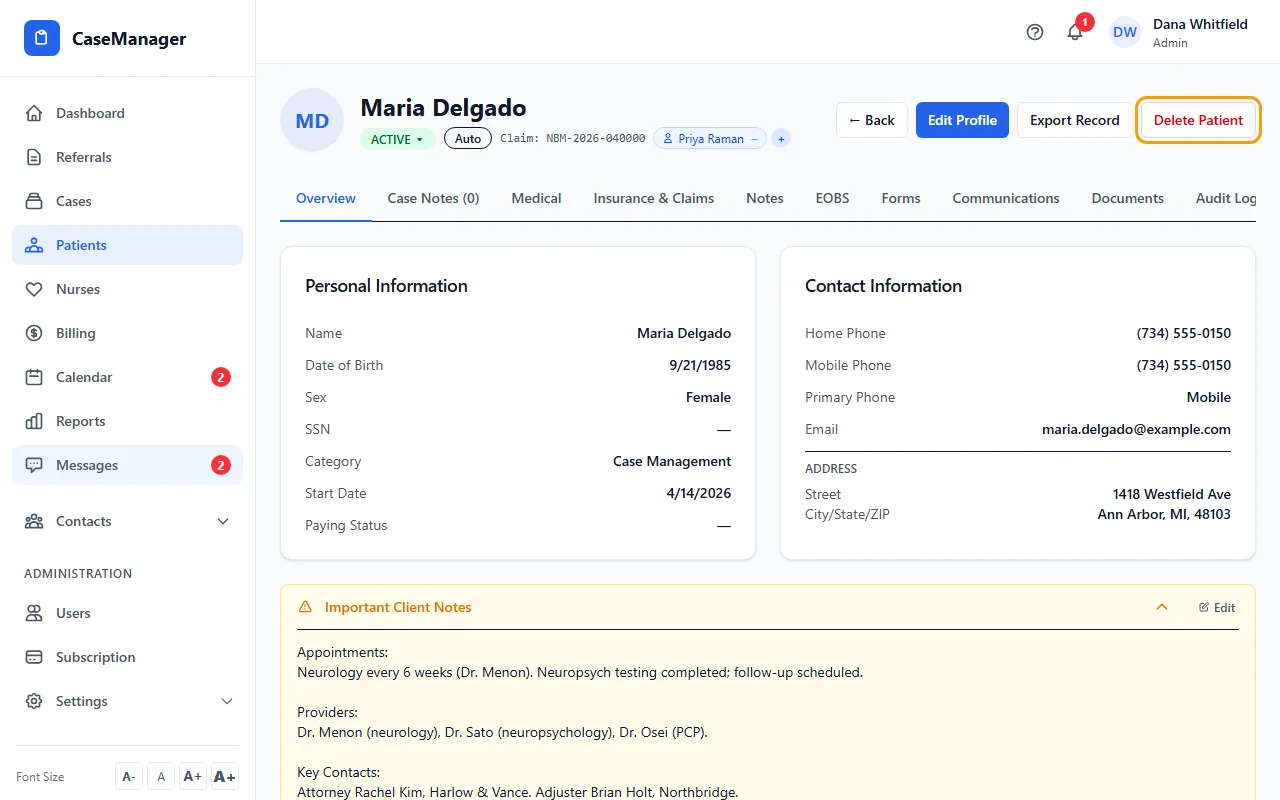
- Read the warning and click OK to delete, or Cancel to keep the patient.
- You return to the Patients list.
If something goes wrong
- “This patient has 1 active case. You must close or delete the case for … first, then the patient can be deleted.”
- Only CLOSED and BILLED cases can be deleted with the patient (a DISCHARGED case still counts as active here). Change the patient's status to CLOSED, which closes their open cases, then delete.
- “… still has related billing or records that must be removed before the patient can be deleted.”
- Something else still points to this patient. Email support at admin@casemgmt.io with the patient's name.
- There's no Delete Patient button.
- Only Admins can delete patients.