Export a patient's full record
Download one zip file with the patient's details, records and every document, for a records request or a transfer.
Last updated October 22, 2026
Who can do this: Admin
Steps
- Open the patient and click Export Record.
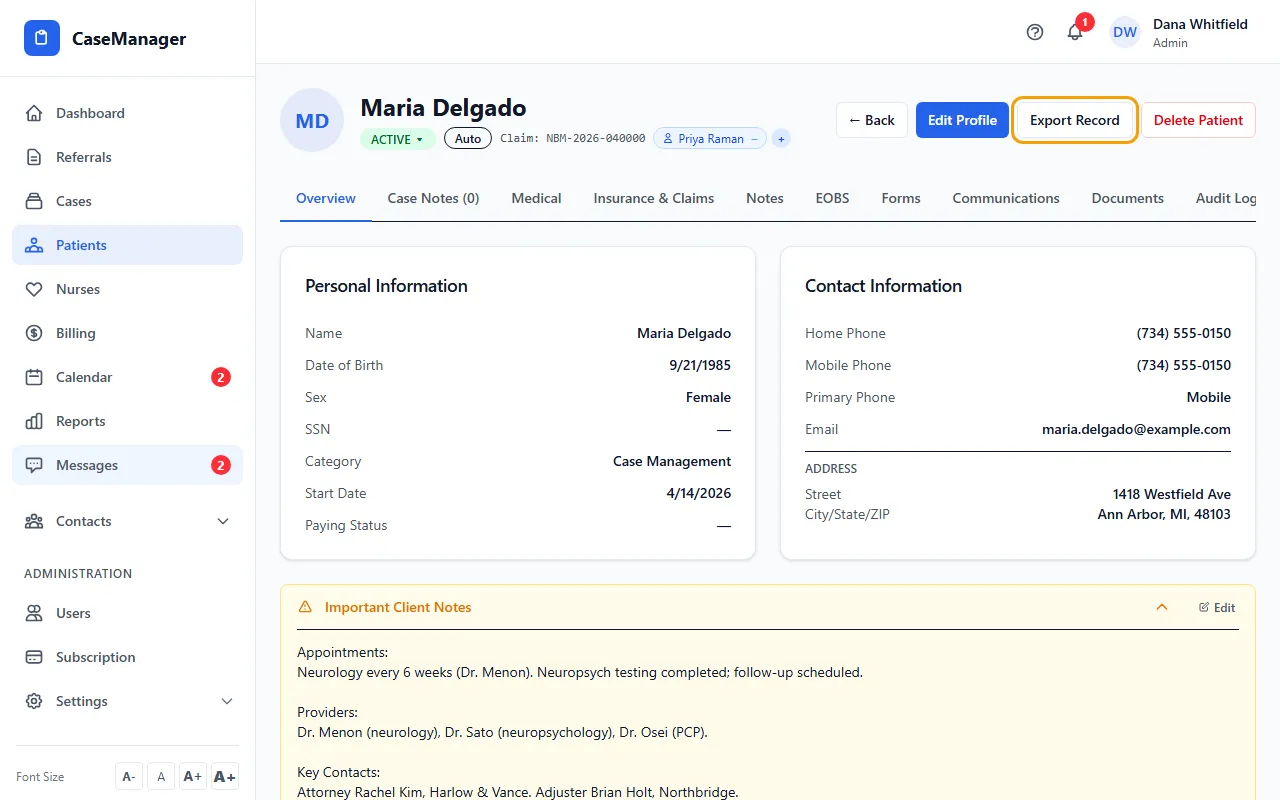
- Wait while it says Exporting… A patient with many documents takes longer.
- Save the zip file your browser downloads.
What's in the zip
patient-record.pdf: an easy-to-read summary you can print or send.
patient-record.json: all the patient's details, cases, case notes, invoices, form submissions and calls, for importing into another system.
A documents folder with every uploaded document and generated PDF, and manifest.csv listing each one (a file that couldn't be read is marked MISSING).
Keep it safe
The export includes the full Social Security number and all of the patient's health information. Each export is logged. Store and send the file only in ways your HIPAA policies allow.
If something goes wrong
- “Failed to export patient record”.
- Try again. If it keeps failing, email support at admin@casemgmt.io with the patient's name.