Add a patient's doctors and providers
List the doctors and other providers treating the patient, with their contact details, on the Overview tab.
Last updated October 22, 2026
Who can do this: Admin, Nurse Case Manager, Internal Case Manager
Before you start
- The provider must be in Contacts > Providers first.
Steps
- Open the patient and find the Providers card on Overview.
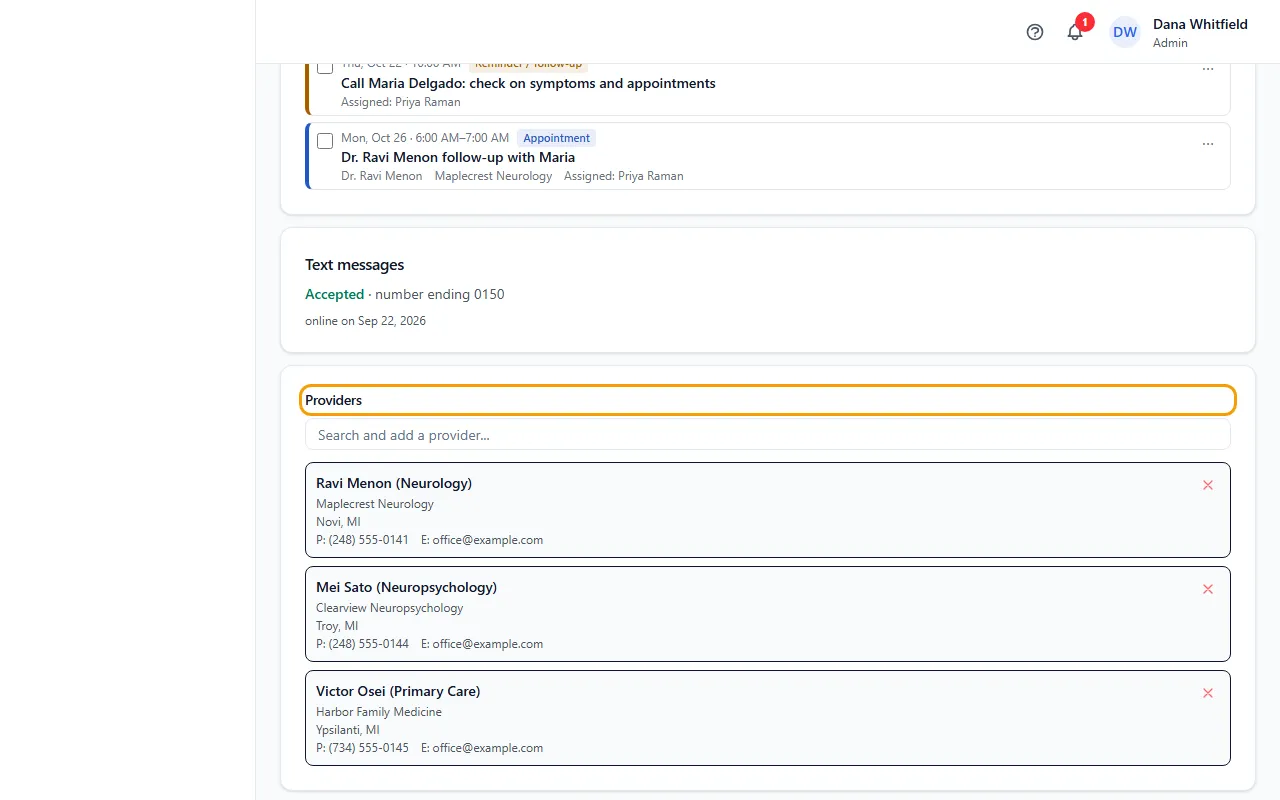
- Click the search box on the card and type a name, specialty or practice.
- Click the provider to add them. Their practice, address, phone, fax and email show on the card.
- To take a provider off, click the × on their row.
If something goes wrong
- The provider isn't in the list.
- Add them in Contacts > Providers first, then reopen the patient.
- The provider doesn't stay on the card.
- Your login most likely can't edit patients; ask your Admin.