Record diagnoses, allergies and medications
Keep the patient's ICD-10 codes, allergies, injury date and medications on the Medical tab.
Last updated October 22, 2026
Who can do this: Admin, Nurse Case Manager, Internal Case Manager
The Medical tab shows unless your company has hidden it. Ask support at admin@casemgmt.io.
Steps
- Open the patient, click the Medical tab and click Edit Medical Info.
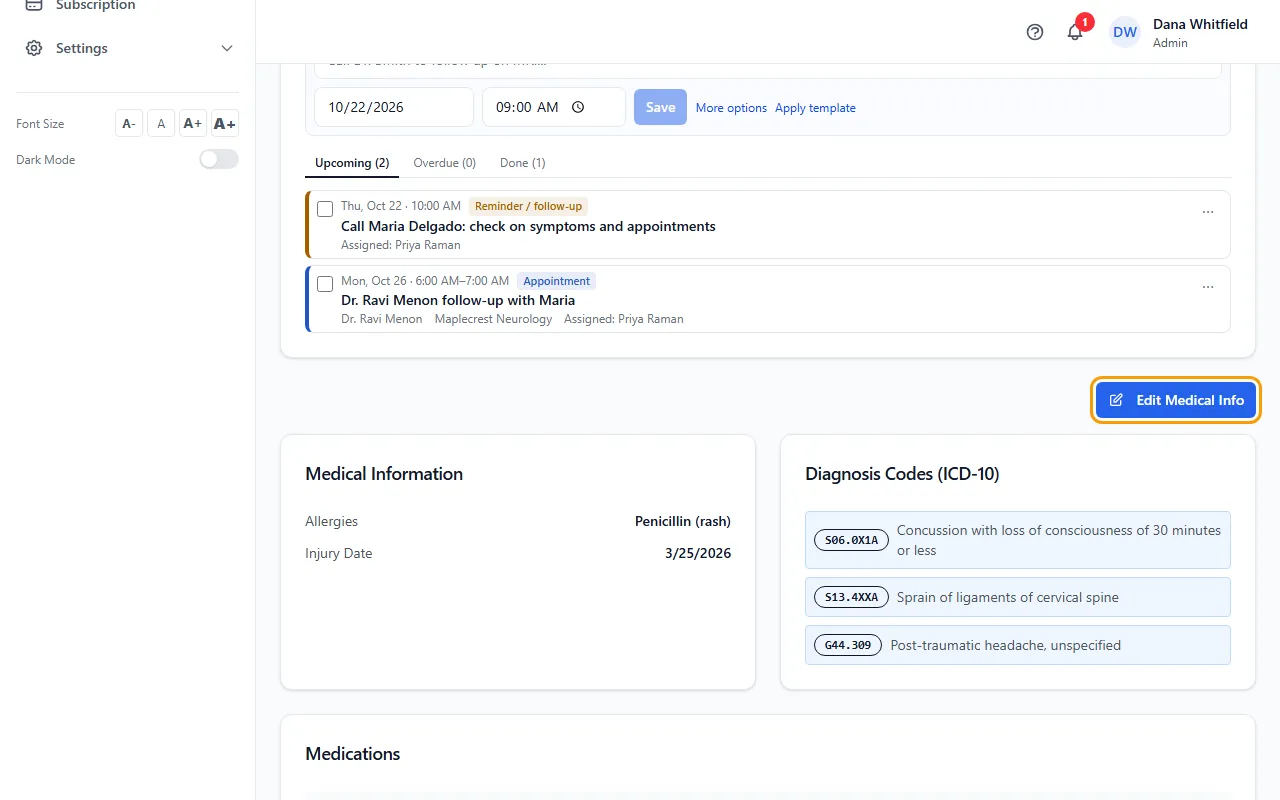
- Under Diagnosis Codes (ICD-10), type a code or words in the search box and click the code to add it. Remove one with its ×.
- If the code isn't in your list, click Add “…” as a new code (or + Enter code manually), fill in the code and description, and click Add Code.
- Update Allergies and Injury Date if needed.
- Under Medications, click + Add Medication and fill in Name, Dosage, Frequency and Provider. Use Remove to take one off.
- Click Save.
The 12-code limit on the CMS-1500
You can record up to 100 diagnosis codes. The CMS-1500 claim form has room for 12 (A to L), so only the first 12 print on it. Codes after the 12th are marked not on CMS-1500.
The order matters: the first 12 in the list are the ones that print. The counter under the list shows how many you have and how many will print.
Your ICD-10 list
A code you add by hand is saved to your company's ICD-10 list, so it can be picked for other patients.
If something goes wrong
- I click Save and nothing changes.
- The save didn't go through. Your login most likely can't edit patients; ask your Admin.