Record insurance, claim and attorney details
Fill in auto insurance, legal representation, health insurance and CMS-1500 details on the Insurance & Claims tab.
Last updated October 22, 2026
Who can do this: Admin, Nurse Case Manager, Internal Case Manager
The Insurance & Claims tab and the Auto Insurance, Legal Representation and Health Insurance cards show unless your company has hidden them. Ask support at admin@casemgmt.io.
Steps
- Open the patient and click the Insurance & Claims tab.
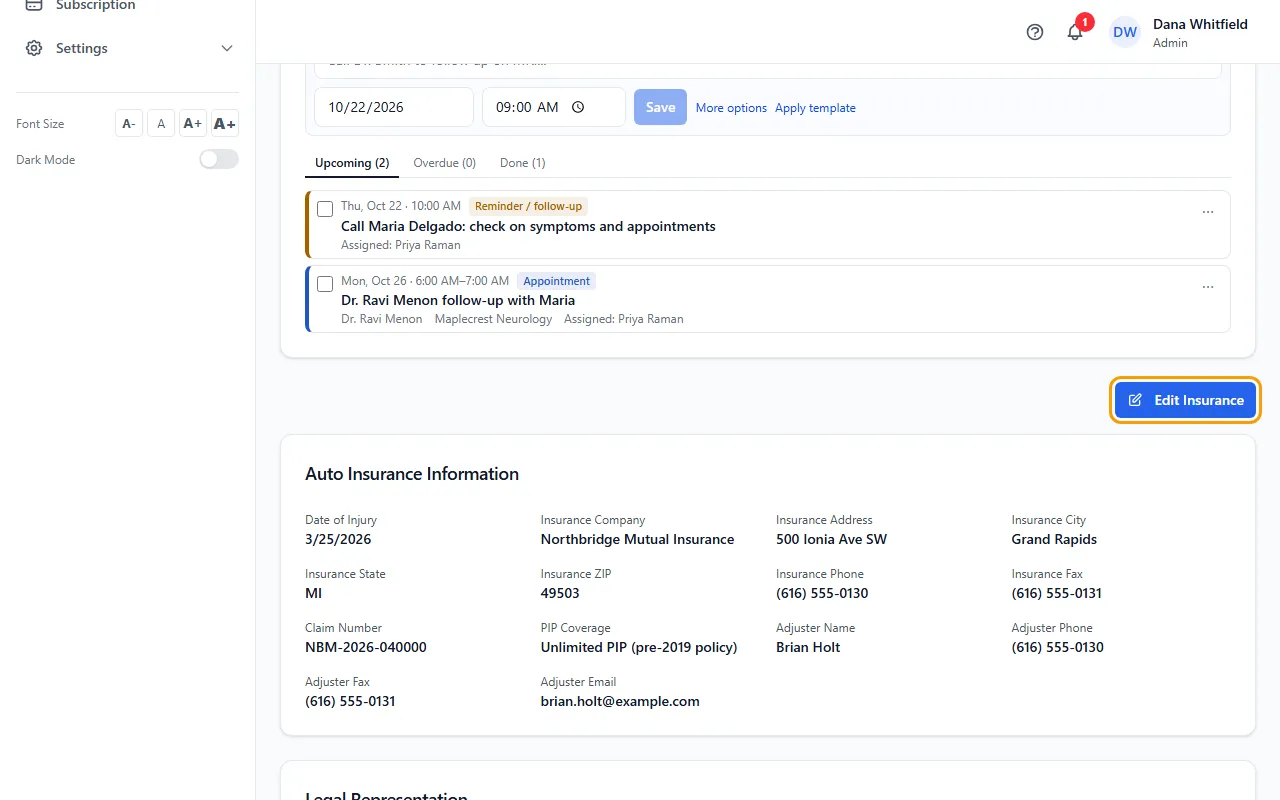
- Click Edit Insurance.
- Under Auto Insurance Information, pick the Insurance Company from the list (its address, phone and fax fill in) or type one, then add the Claim Number, PIP Coverage and Adjuster Name (picking an adjuster fills their phone, fax and email).
- Under Legal Representation, pick the Law Office, Attorney and Paralegal. Choosing a law office narrows the attorney list to that firm.
- Fill in Health Insurance Information, Claim Details, Insured Information, Patient Status and Rendering Provider (CMS-1500 Box 24J) as needed.
- Click Save.
The cards on Overview
Insurance & Legal Information on Overview shows the same auto insurance, legal and health insurance details as three cards. Each has its own Edit link for quick changes, and they also appear at the top of every other tab.
Fields that fill each other in
Typing the auto Claim Number on this tab also fills the claim number in Claim Details and Insured's ID Number (CMS-1500 Box 1A).
When one is empty, the health insurance company and Insurance Name fill each other in when you save, and the claim number fills the insured's ID. A value you typed yourself is never overwritten.
Used on the CMS-1500
Insurance Type (CMS-1500 Box 1), Insurance Name, the insured's details, the condition questions under Patient Status (employment, auto accident and its state, other accident), the diagnosis codes and the referring provider are used when the claim is filled in.
In the CMS-1500 Editor, the Rendering Provider NPI fills Box 24J on each service line that has a code. If it's blank, your company's NPI is used.
PIP Coverage offers $50,000, $250,000, $500,000 or Unlimited. An older typed-in value stays and is marked (old entry).
Tips
- Admins also see Filed Attorney (bills filed with) under Legal Representation, for when bills are filed with a different attorney than the one representing the patient.
- Insurance companies, adjusters, attorneys and paralegals in these lists come from your Contacts. You can also type a name that isn't there.
If something goes wrong
- I click Save and the form stays open.
- The save didn't go through. Your login most likely can't edit patients; ask your Admin.
- A card is missing on Overview.
- Your company can hide the Auto Insurance, Legal Representation or Health Insurance card. Ask support at admin@casemgmt.io.