Show or hide a patient's Social Security number
The SSN is masked on screen; reveal it only when you need it, and every reveal is logged.
Last updated October 22, 2026
Who can do this: Admin, Nurse Case Manager, Internal Case Manager, Billing Staff
Steps
- Open the patient. On Overview, the Personal Information card shows SSN with only the last four digits.
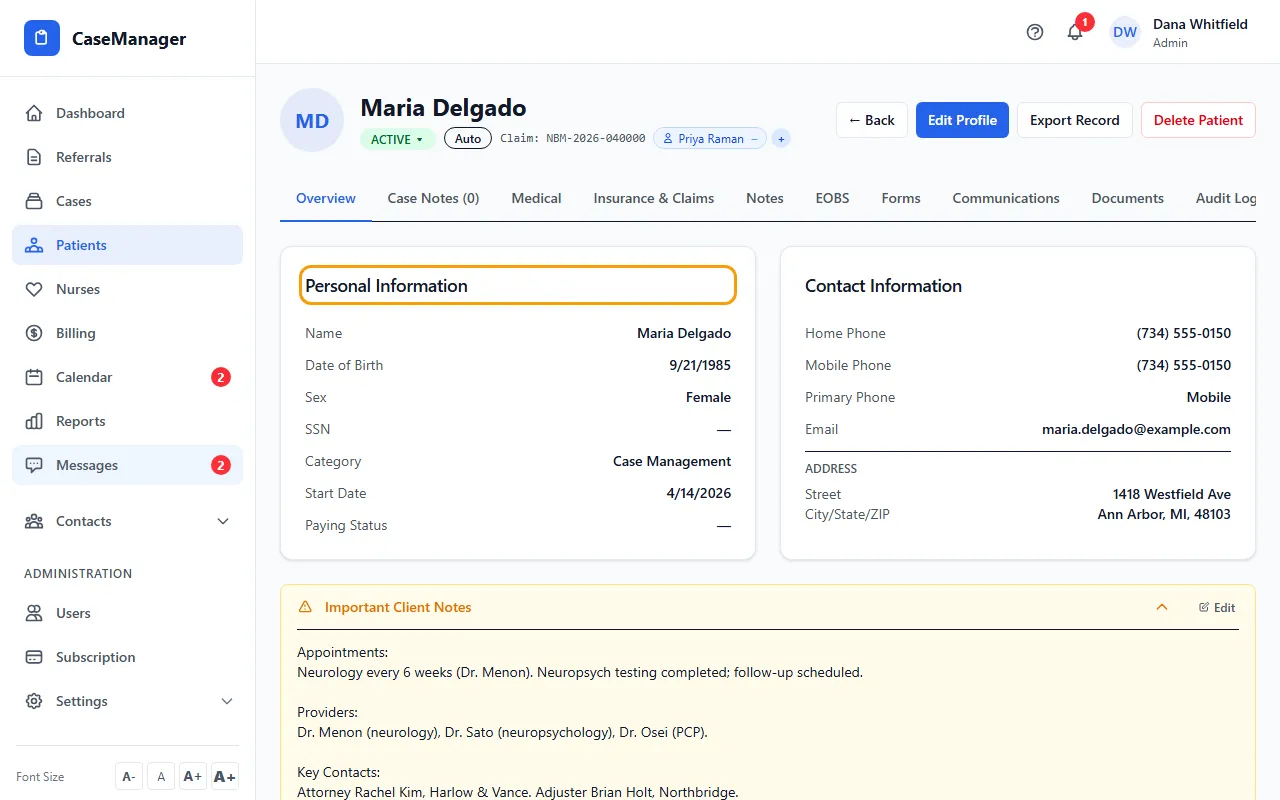
- Click Reveal to see the full number.
- Click Hide when you're done. It also hides by itself after 30 seconds.
Why it works this way
The full number is never sent to your screen until you click Reveal, and each reveal records who looked and when. The number isn't saved in your browser.
To change the number, use Edit Profile and type the new one in Social Security. See Edit a patient's profile.
If something goes wrong
- There's no Reveal link.
- No SSN is on file for this patient.
- “SSN on file but cannot be decrypted. Contact platform support.”
- Email support at admin@casemgmt.io with the patient's name (not the number). We answer within one business day.