Accept a referral and create the case
Accept a new referral, then create the patient and the case from it in one short form.
Last updated October 22, 2026
Who can do this: Admin, Nurse Case Manager, Internal Case Manager
Before you start
- You need permission to manage referrals (Admins, Nurse Case Managers and Internal Case Managers have it by default).
Steps
- Open Referrals. New referrals, including ones sent through the referral portal, show with the status New (the dashboard counts them under New Referrals).
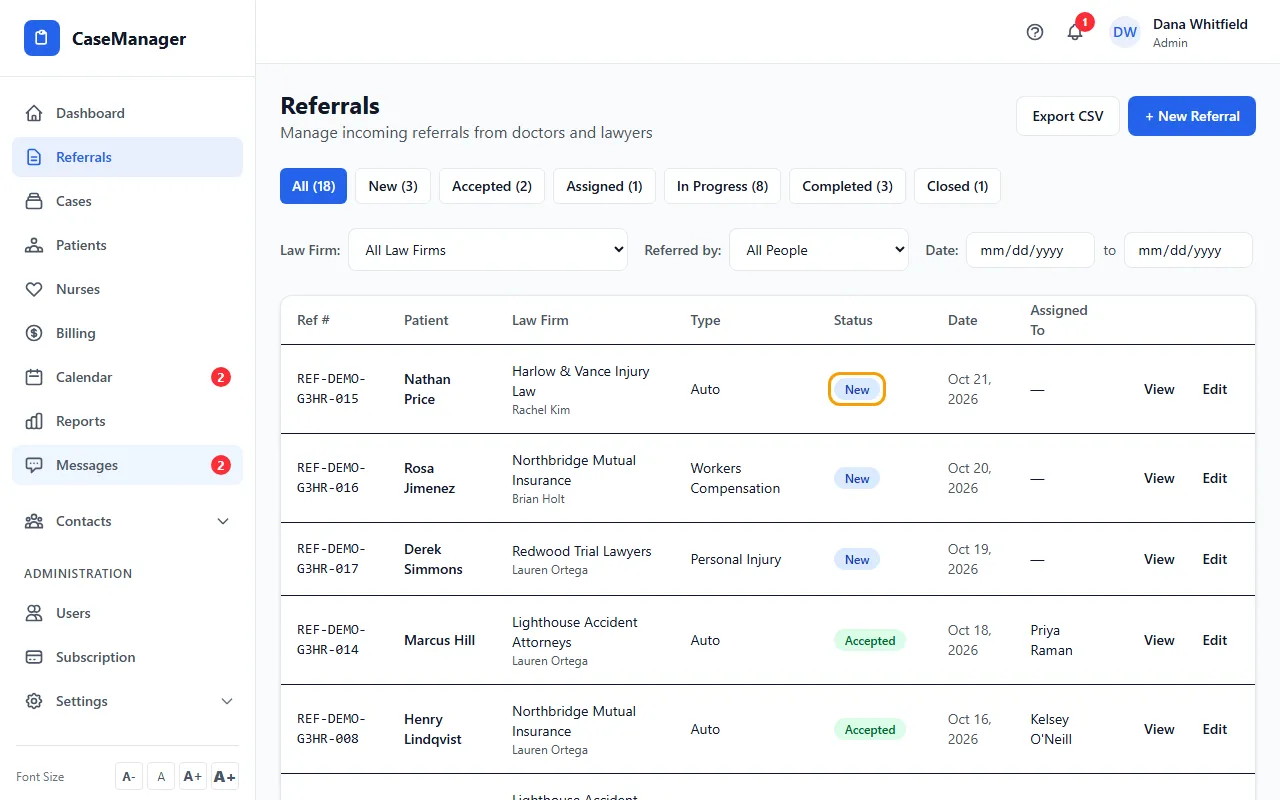
- Click View on the referral to open it and check the patient, insurance and legal details.
- Click Accept Referral. The status changes to Accepted.
- Click Create Case, choose the Case Type, and add the patient's date of birth if the referral didn't have one. Click Save.
- CaseMgmt creates the patient (with the standard folders) and the case, and opens the case. Assign the case manager with + next to the nurse chips on the patient file.
Tips
- Law Firm and Referred by are separate on purpose: the firm is the organization, Referred by is the person who sent it. Reports group by firm.
- Change a referral's status right from the list by clicking its status badge.
If something goes wrong
- The Create Case button isn't there.
- It appears once the referral is Accepted or Assigned. Accept it first.