Run case reports
See your cases by status, type and how long they've been open, and export the case list.
Last updated October 22, 2026
Who can do this: Admin, Nurse Case Manager, Internal Case Manager, Billing Staff
Steps
- Open Reports and click Case Reports.
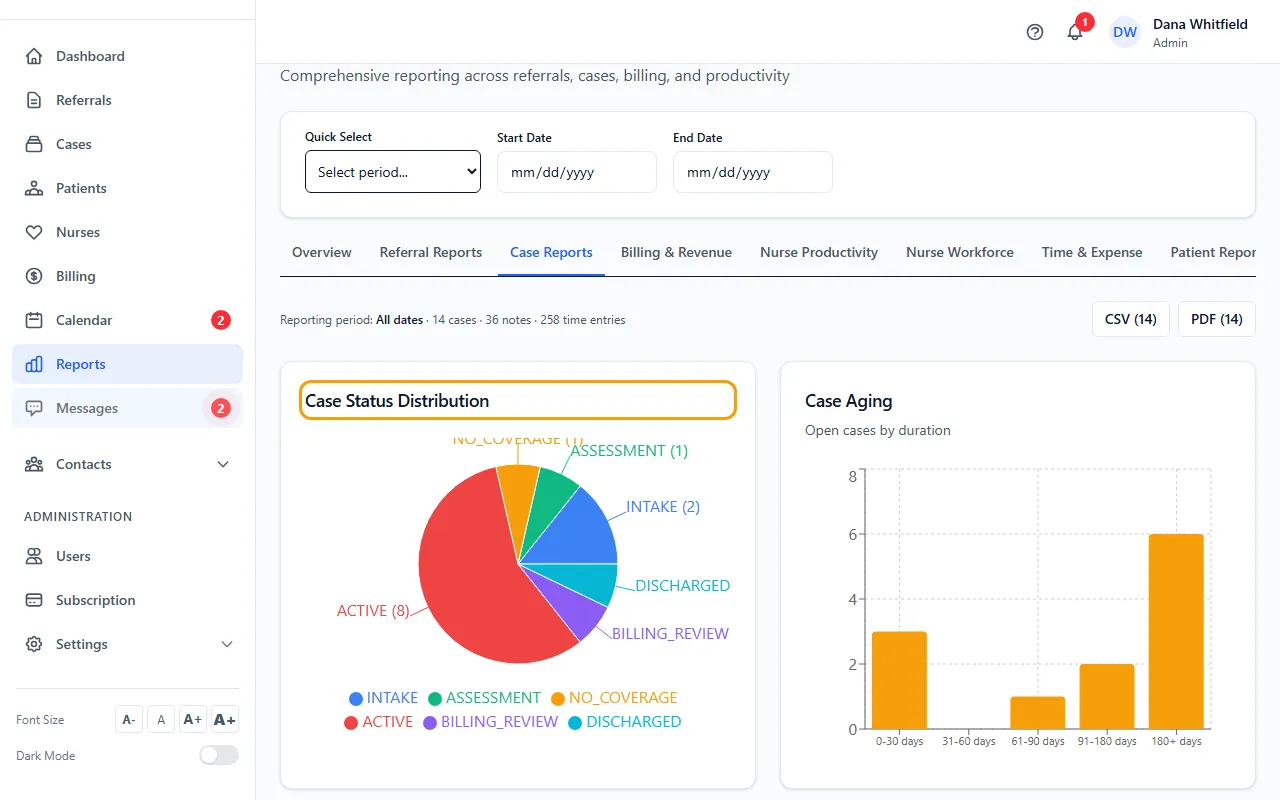
- Read Case Status Distribution, Case Aging (open cases by how long they've been open) and Cases by Type.
- Check the line at the top for how many cases, notes and time entries fall in the period.
- Click CSV or PDF to export the case list.