Create an invoice from unbilled work
Turn one case's unbilled time, mileage and expenses into a single invoice that you can edit before you save it.
Last updated October 23, 2026
Who can do this: Admin, Billing Staff
Generate Invoices from Unbilled Work is on for every company by default. If you don't see it, your company has it turned off. Ask support at admin@casemgmt.io.
Before you start
- To bill several patients at once with CMS-1500 claims, use batch invoicing instead.
Steps
- Open Billing and click the Invoices tab.
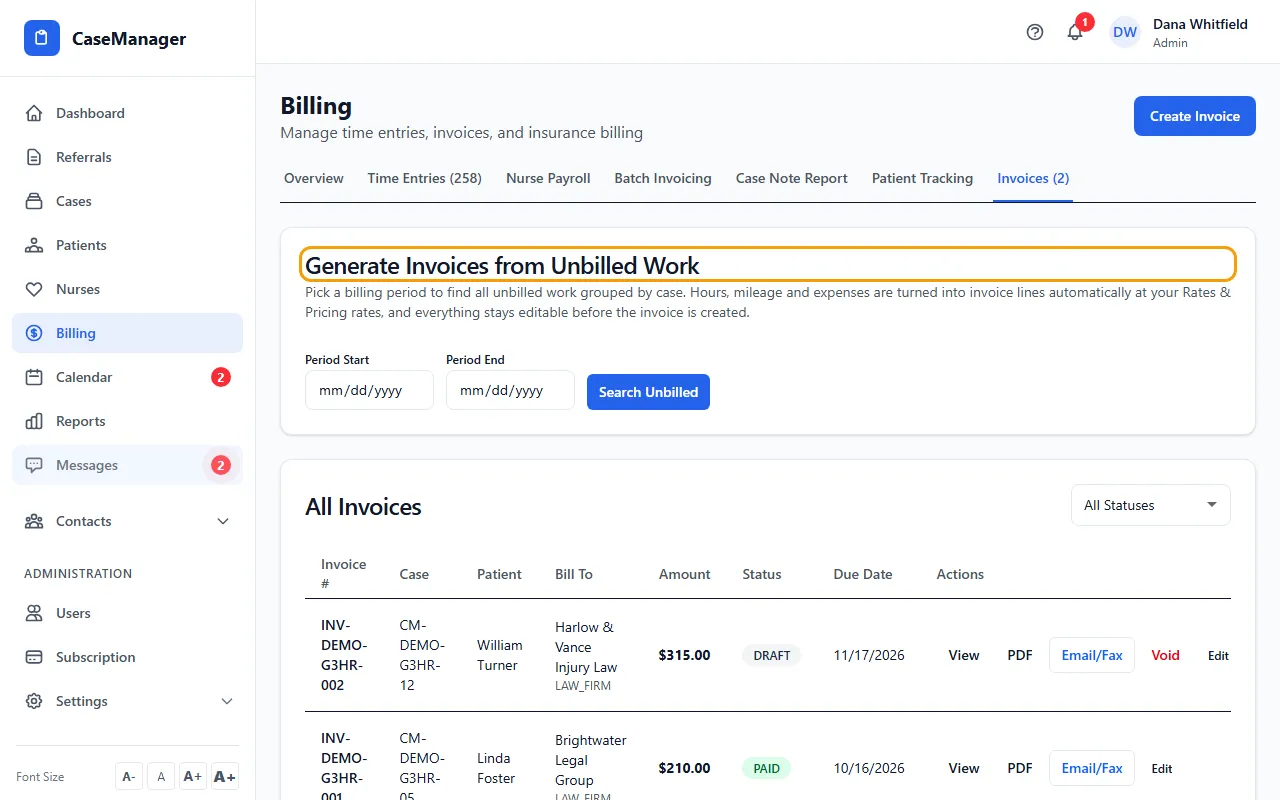
- Under Generate Invoices from Unbilled Work, set Period Start and Period End, then click Search Unbilled. Each case with unbilled work is listed with its hours, miles and Est. Total.
- Click Prepare Invoice on a case. (Or click Create Invoice at the top of the page and choose the case under 1. Select Case.)
- Under 2. Bill To, choose the Bill To Type and Organization, and check the Bill To Name and Address.
- Under 3. Line Items, tick the lines to bill and correct any description, quantity or rate. Click + Add Item for an extra line.
- Check the Due Date (30 days from today unless you change it), add Notes if needed, and click Create Invoice. The button shows the invoice total.
What gets billed
Lines from time that is still LOGGED (not approved yet) start unticked. Approved lines start ticked.
With Prepare Invoice, hours, mileage and expenses become lines priced at your company's Rates & Pricing rates. When you pick a case under 1. Select Case instead, its unbilled hours are priced at your company's hourly rate.
When you create the invoice, the time on it is marked BILLED so it can't be billed twice.
Duplicate check
If the case already has an invoice for the period, the search shows a badge with that invoice's number. When you save, CaseMgmt tells you which invoice already covers the case and asks whether to create this one anyway. Void invoices don't count.
If something goes wrong
- The Generate Invoices from Unbilled Work card isn't there.
- It's hidden while the Create Invoice form is open. Click Cancel. If it's still missing, your company has the invoice generator turned off; ask support at admin@casemgmt.io.
- “No unbilled work found in this period.”
- Widen the dates, or check that the time was logged as billable.
- “No unbilled time entries for this case.”
- Log time on the case first, or add lines yourself with + Add Item.
- The Create Invoice button is greyed out.
- Fill in Bill To Name and Due Date, and tick at least one line.
- “Invoice not created: some of these hours are already billed on …”
- That time went on another invoice or batch after you opened the form (the message names it). Each hour can be on only one bill. Search again, or void the other bill first if it's the mistake.