Manage your law firms
Law Firms is the list your referrals are credited to, so reports can group your work by the firm that sent it.
Last updated October 22, 2026
Who can do this: Admin
Before you start
- Admins can add, edit, move and delete law firms. Other staff can see the list.
Steps
- Open Contacts > Law Firms.
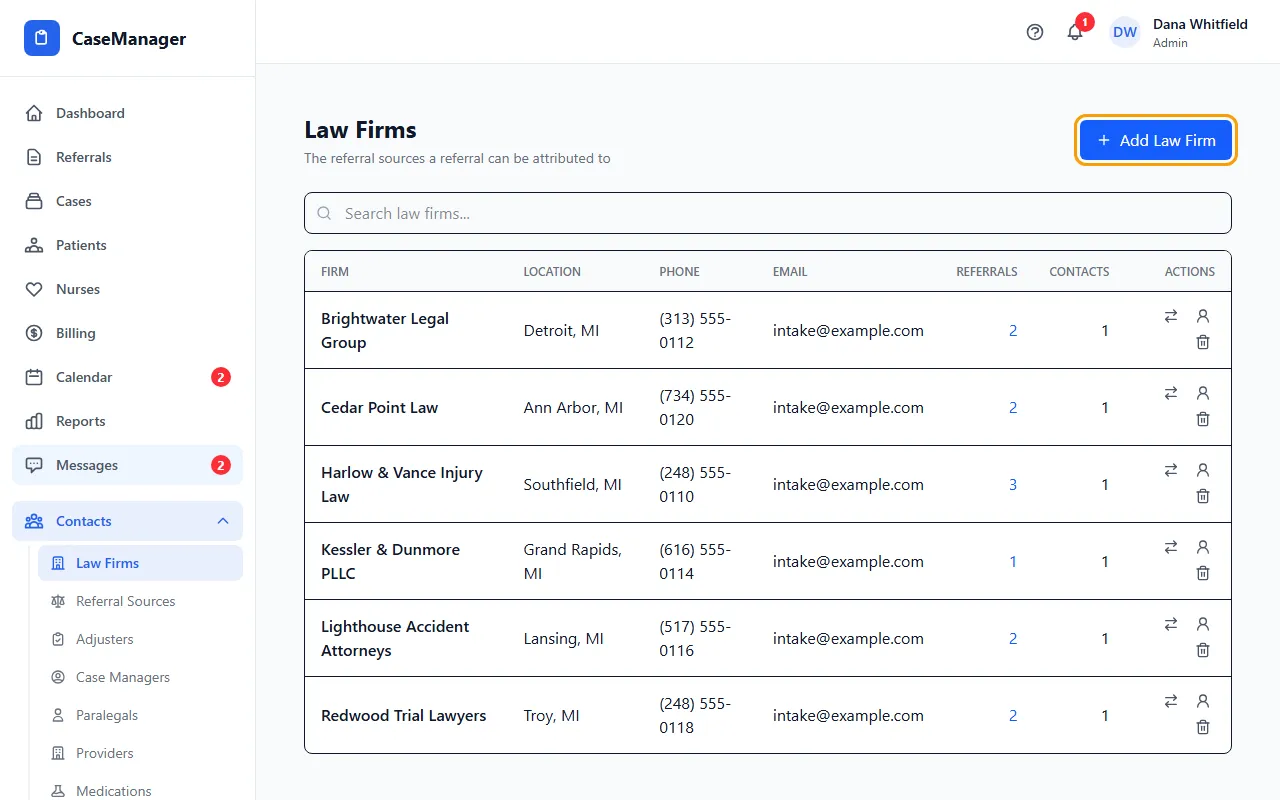
- Click Add Law Firm and enter the Firm Name, address, Phone, Fax and Email.
- Click Add Law Firm to save. To change a firm later, click its row, edit, and click Update.
- Click the number under Referrals to see that firm's referrals.
Tidy up duplicate firms
When firm names look alike, they're listed together and tagged “possible duplicate”, and a notice at the top says how many. Show only these lists just those; Show all firms goes back. Nothing is merged for you.
To combine two firms, click the arrows icon on the one you don't want, choose the firm to keep under Move into, and click Move. Its referrals and contacts move over and nothing is deleted. Then delete the empty firm.
A firm that's really a person
A row tagged “looks like a person” has the same name as one of your referral sources. Click its person icon to open Convert to referral source.
Choose who to Credit the referrals to (or create a new referral source), pick the firm under Group their referrals under if you know it, and click Convert.
Deleting a firm
Click the trash icon. A firm that still has referrals, contacts or portal users attached can't be deleted: move them first. Portal users are changed on the Users screen. Deleting can't be undone.
If something goes wrong
- “Forbidden” when saving a law firm.
- Only Admins can add or change law firms. Ask your Admin.
- “Only admins can move referrals between firms”
- Ask your Admin to do the move.
- “Firm name is required.”
- Fill in Firm Name and save again.