Add a referral manually
Type in a referral that came by phone, fax or email so it shows on your referral list.
Last updated October 22, 2026
Who can do this: Admin, Internal Case Manager
Before you start
- You need the Create Referrals permission. Admins and Internal Case Managers have it by default. An Admin can turn it on for anyone else in Administration > Users.
Steps
- Open Referrals and click + New Referral. The Add Referral Manually form opens.
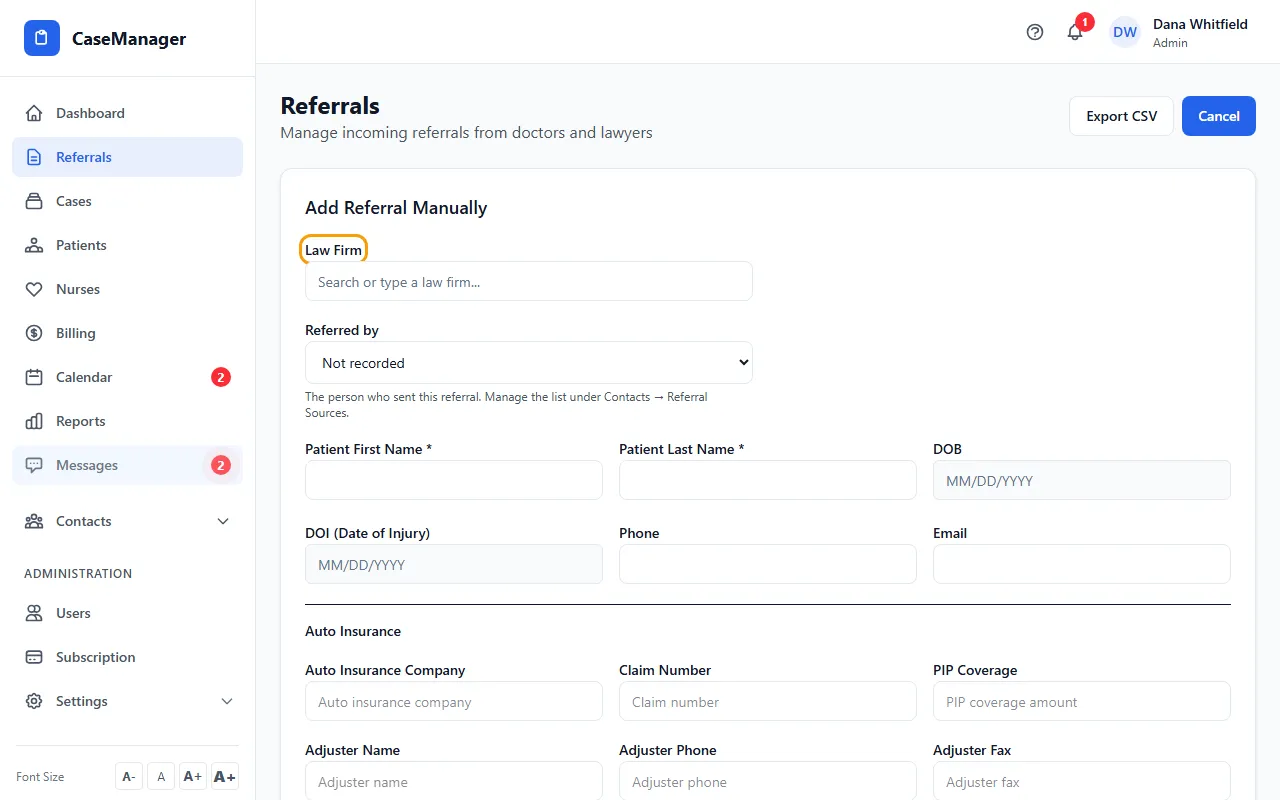
- In Law Firm, start typing and pick the firm from the list. If it's a new firm, click + Create with the name you typed.
- In Referred by, choose the person who sent the referral, or leave Not recorded.
- Fill in Patient First Name and Patient Last Name (both required), plus the DOB, DOI (Date of Injury), Phone and Email you have.
- Add what you know under Auto Insurance, Legal Representation and Health Insurance. Every field there is optional.
- Choose the Referral Type. If you pick Other, type it in Specify Other Type.
- Write the Reason for Referral. Put anything the team must not miss in Attention Notes; it shows in a red box on the referral.
- Click Create Referral. The referral is added with the status New and a number like REF-2026-00042.
Tips
- Typing in Law Firm isn't enough on its own: pick a firm from the list or click + Create. A referral added without a firm has no law firm, and the Law Firm column shows a dash.
- Picking a law firm fills Law Office and Law Phone if they are empty. Picking a person in Referred by fills Attorney, Attorney Email and Law Office if they are empty.
- The insurance company, adjuster, law office, attorney and paralegal boxes suggest names from your Contacts as you type, but you can type a name that isn't in the list.
- To fix a referral later, click Edit on its row, change the details and click Save Changes.
- Referrals you add here are saved with Routine urgency.
If something goes wrong
- “You don't have permission to create referrals”
- Ask an Admin to tick Create Referrals for you in Administration > Users.
- “That referral source contact was not found.”
- The person picked in Referred by was removed. Reload the page and choose again.
- “Validation failed”
- One of the email addresses isn't a complete email address. Check the patient, adjuster, attorney and paralegal emails.