Clean up duplicate law firms
Move referrals off a duplicate firm, or turn a person's name that became a firm into a referral source.
Last updated October 22, 2026
Who can do this: Admin
Steps
- Open Contacts > Law Firms. Firms that look alike are grouped together and tagged “possible duplicate”. Click Show only these to see just them.
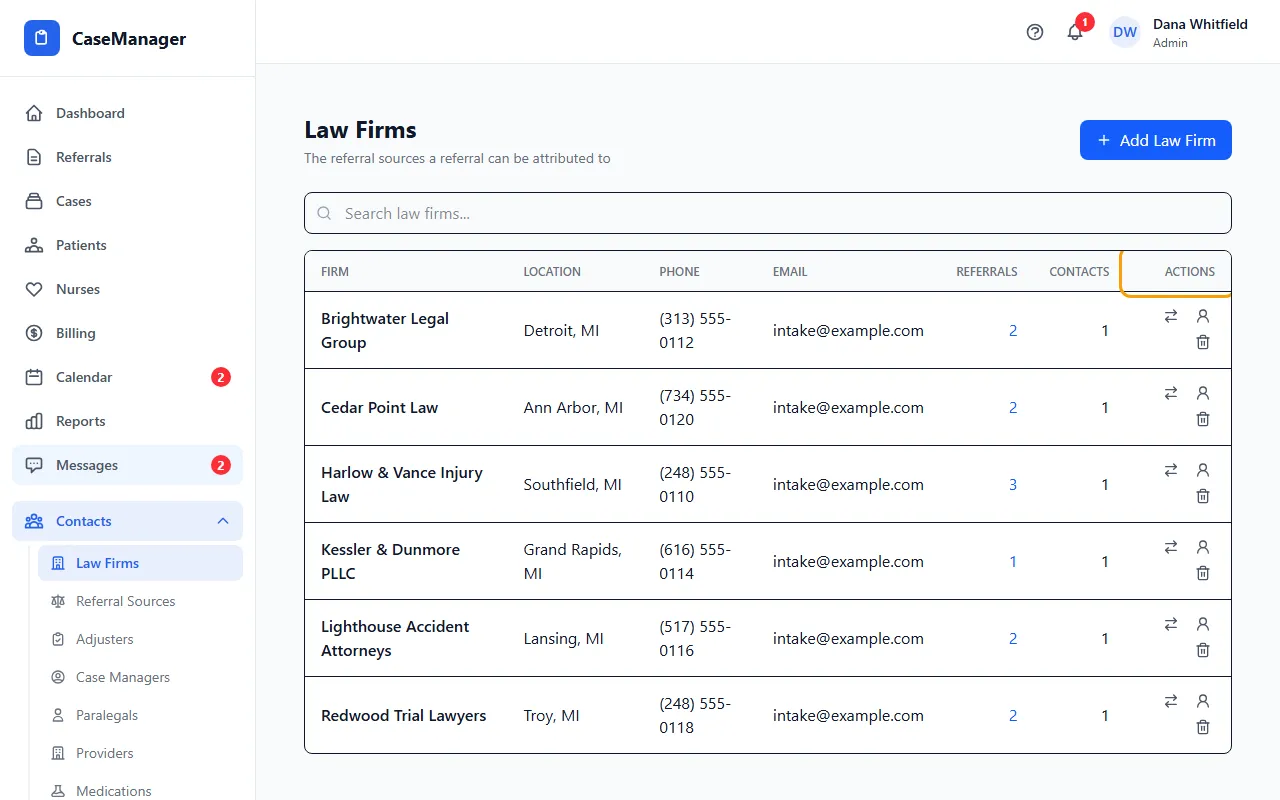
- On the firm you want to get rid of, click the two-arrows icon (Move this firm's referrals and contacts into another firm).
- In Move into, choose the firm to keep and click Move. Its referrals and referral sources move over; nothing is deleted.
- If the message says the old firm is now empty, close the window and click its bin icon to delete it.
How possible duplicates are found
Names are compared ignoring capital letters, punctuation, word order and common words such as Law, Firm, Offices, Group, Associates, PLLC and LLC. So “Russo Law” and “The Russo Law Firm” are grouped.
Nothing is ever merged automatically. You decide which records really are the same firm.
When a “firm” is really a person
A row tagged “looks like a person” has the exact name of one of your referral sources. Click the person icon (This is a person, not a firm - convert it to a referral source).
In Credit the referrals to, choose the person, or Create a new referral source... and enter their name and Type.
In Group their referrals under, choose the firm they work for, or No firm known yet. Click Convert.
Their referrals are credited to that person and moved to the firm you chose. The old row is removed from Law Firms unless portal logins still belong to it.
Portal logins stay put
Moving never changes portal logins. If the message says portal users were left on the old firm, open Administration > Users, edit each one, change Organization and click Save Changes. Then delete the old firm.
If something goes wrong
- A message says the firm still has referrals, contacts or portal users attached.
- A firm can only be deleted when it's empty. Move them first, and change portal users' Organization in Administration > Users.
- “This organization has invoices attached and cannot be converted.”
- Use the two-arrows icon to move its referrals instead.
- “This row is your own company. Fix its referrals from the referral list instead.”
- Open the referrals from the Referrals count and change each one's law firm in the list.