Run the Nurse Productivity report
Compare nurses by active cases, hours and billable value for a period, and export it.
Last updated October 22, 2026
Who can do this: Admin, Nurse Case Manager, Internal Case Manager, Billing Staff
Steps
- Open Reports and click Nurse Productivity.
- Read Active Nurses, Total Hours, Billable Value and Avg Cases/Nurse.
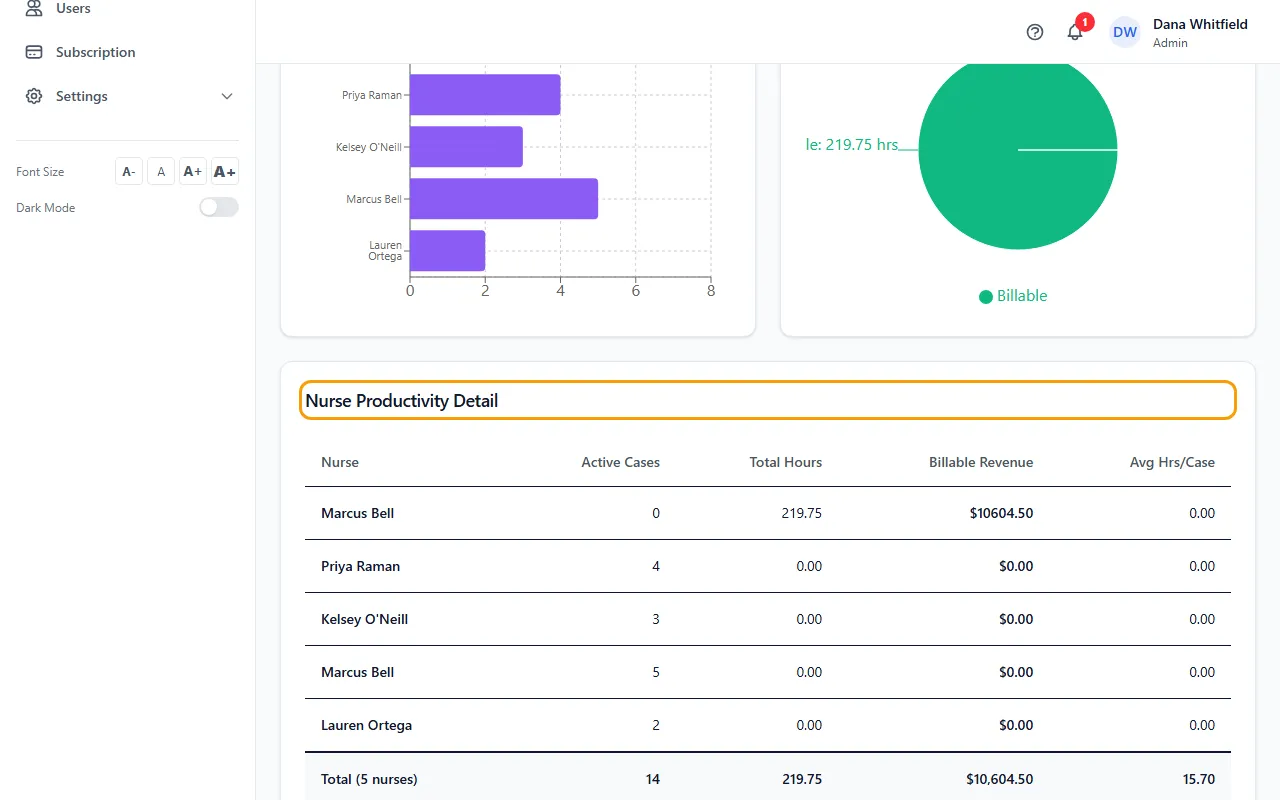
- Compare nurses in Cases per Nurse and Billable vs Non-Billable Hours.
- Read Nurse Productivity Detail for each nurse's active cases, total hours, billable revenue and average hours per case.
- Click CSV or PDF to export it.
Tips
- Billable Value is the hours times the rate on each billable time entry in the period.