Your first day as Billing Staff
Where billing work lives: time entries, batch invoicing with CMS-1500 claims, invoices, payroll and reports.
Last updated October 22, 2026
Who can do this: Billing Staff
Before you start
- You need the invite email from your company, or a password from your Admin. See Set up your account from an invite email.
Steps
- Sign in and open Billing in the sidebar. The tabs across the top are where your daily work happens.
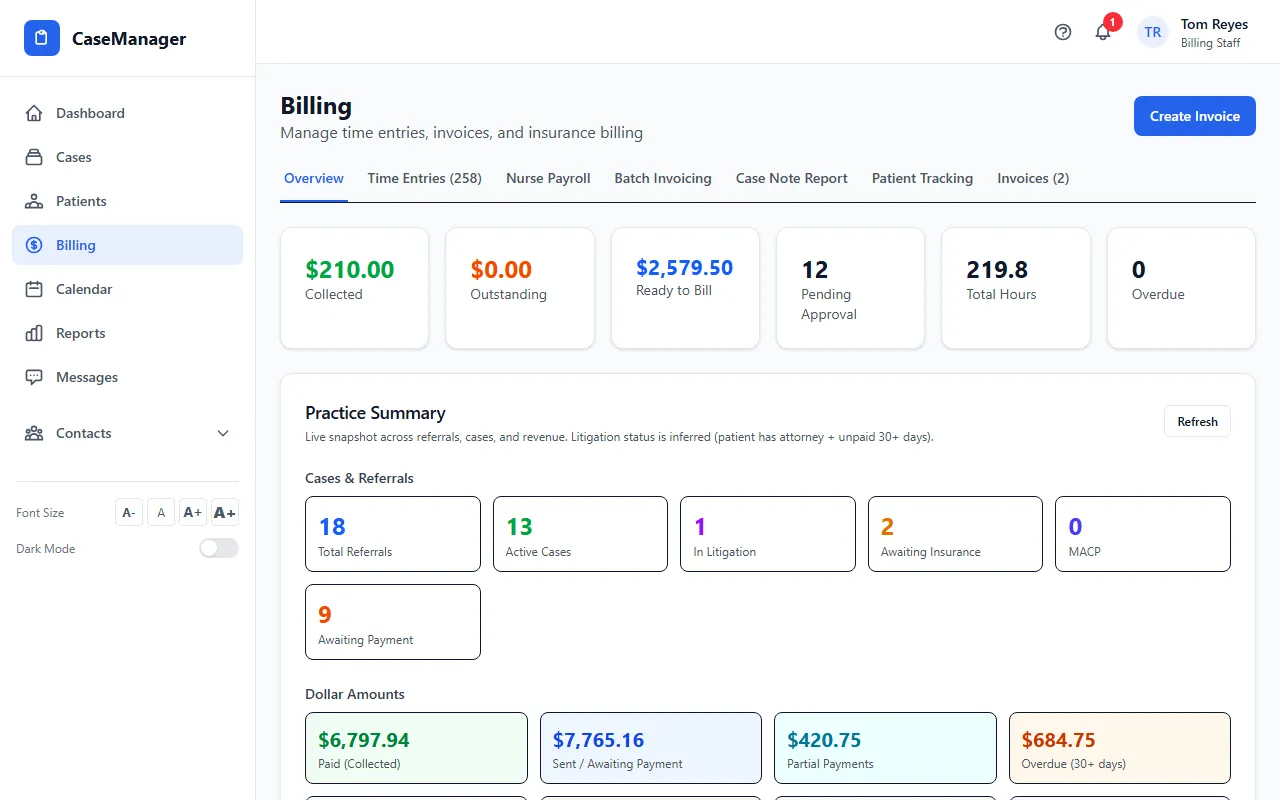
- Check the Time Entries tab. Approve time there before you bill it if your company requires it.
- Use Batch Invoicing to bill a period's work with CMS-1500 claims. See Create batch invoices and CMS-1500 claims.
- Single invoices are on the Invoices tab, and nurse pay is on Nurse Payroll.
- Open Reports for revenue, AR aging and the other reports. Pick the period with Quick Select or Start Date and End Date.
What Billing Staff can do
Out of the box you can see all patients and cases, create and send invoices, approve time entries, and see the EOBS tab on a patient when your company uses it.
You can't add or edit patients, cases or referrals unless your Admin gives you that permission. See Roles explained.