Get a patient's consent to texts
Ask a patient to agree to texts by email or in person, and what happens when they reply STOP or START.
Last updated October 22, 2026
Who can do this: Admin, Nurse Case Manager, Internal Case Manager, Billing Staff
Before you start
- The patient needs a mobile number on file. To ask by email they also need an email address.
Steps
- Open the patient. On the Overview tab, find the Text messages card.
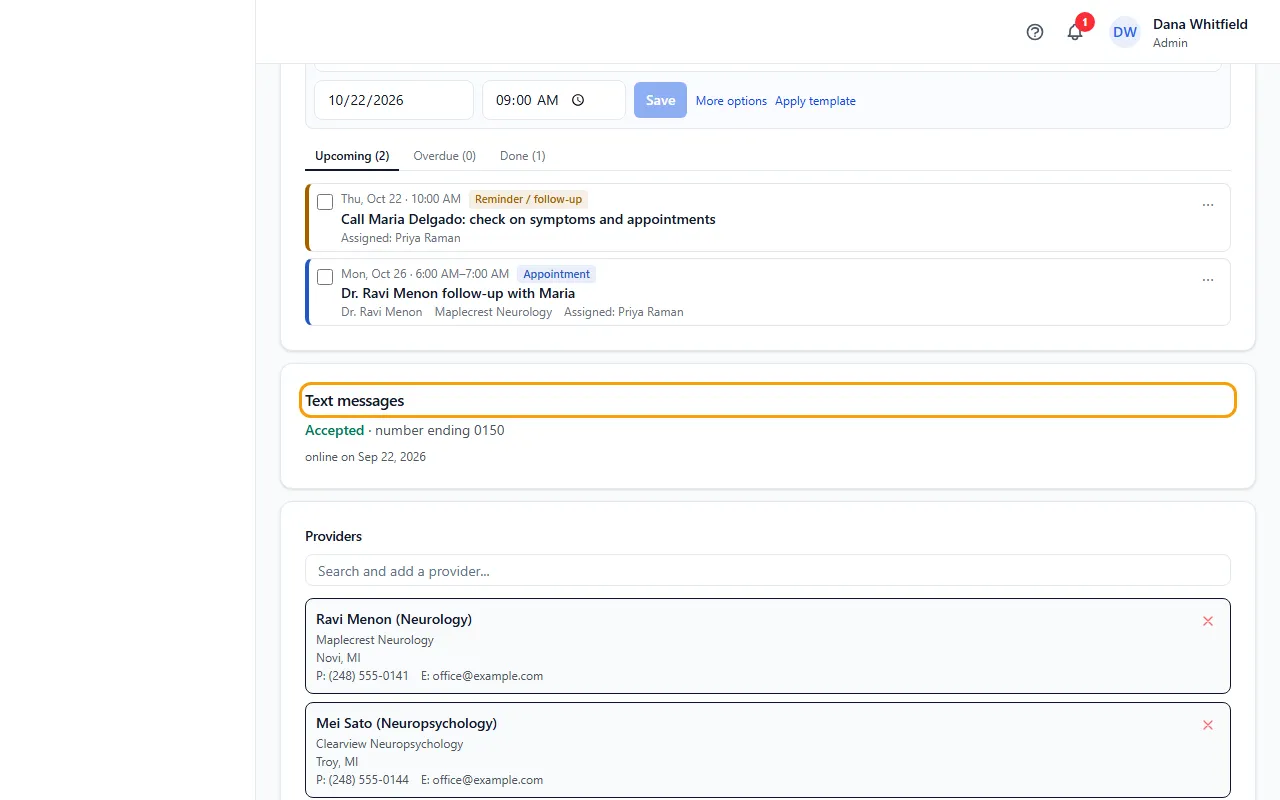
- Check the status: Not asked, Asked, waiting, Accepted, Declined, Stopped (replied STOP) or No mobile number.
- Click Email the opt-in link to email the patient a page where they agree. The link works for 14 days.
- Or click Ask in person. The same page opens in a new tab on your device; hand it to the patient.
- When they agree, the card shows Accepted, how they agreed, and the date. You can text them from then on.
Texting START
If your company has its own texting number, the card says the patient can also text START to it. That signs them up straight away.
On the shared CaseMgmt number, START only completes a request your company already sent, or turns texts back on for a number that had stopped.
STOP and opting back in
A patient who replies STOP gets no more texts, and the card shows Stopped (replied STOP). You can't ask them again from the card.
STOP to your company's own number stops only your company's texts. STOP to the shared number stops texts from every company that uses it.
To get texts again, the patient must text START. Until then, send forms and documents by email.
A patient who said no on the opt-in page shows Declined. You can ask again later.
Tips
- CaseMgmt never sends a text to ask for consent, and keeps the exact wording each patient agreed to.
If something goes wrong
- “This patient has no email address. Ask in person instead.”
- Add an email to the patient, or use Ask in person.
- “The email could not be sent. Check the company email settings, or ask in person.”
- Ask your Admin to check the company email settings, or use Ask in person.
- The patient says the link has expired.
- Opt-in links work for 14 days. Click Email the opt-in link again to send a new one.