How adding a user affects your bill
Your plan includes some users; each paid user beyond that is billed at their role's price. Referral Staff are free.
Last updated October 22, 2026
Who can do this: Admin
Steps
- In Administration > Users, click Add User. The top of the form says how many more users your plan includes at no extra cost, or that all included users are in use.
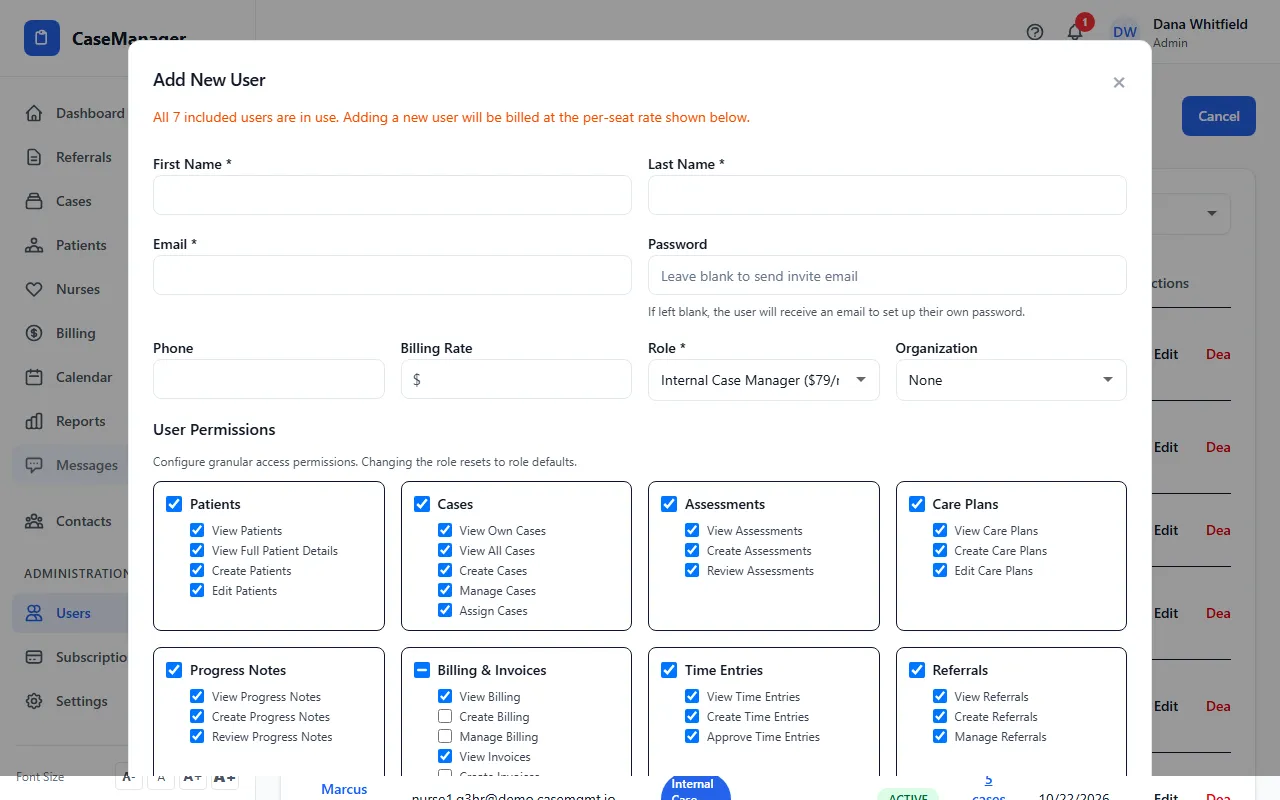
- The Role list shows what one extra user of each role costs.
- When you click Create User and the user isn't covered by your plan, Confirm Seat Addition shows the Billing Impact. The charge is prorated for the rest of the current billing period and shows on your next invoice.
- Click Confirm & Add User, or Cancel to stop.
The rules
Admins, Nurse Case Managers, Internal Case Managers and Billing Staff are paid users. Referral Staff are always free and unlimited.
Your plan's included users can be any mix of roles. They cover your most expensive users first.
When you deactivate a user, they stop counting and your subscription is updated, with a prorated credit.
Prices for each role are on Pricing, and your own numbers are on Administration > Subscription.