Read your Subscription page and monthly bill
See your plan, its status, your users and the estimated monthly total on Administration > Subscription.
Last updated October 22, 2026
Who can do this: Admin
Steps
- Go to Administration > Subscription.
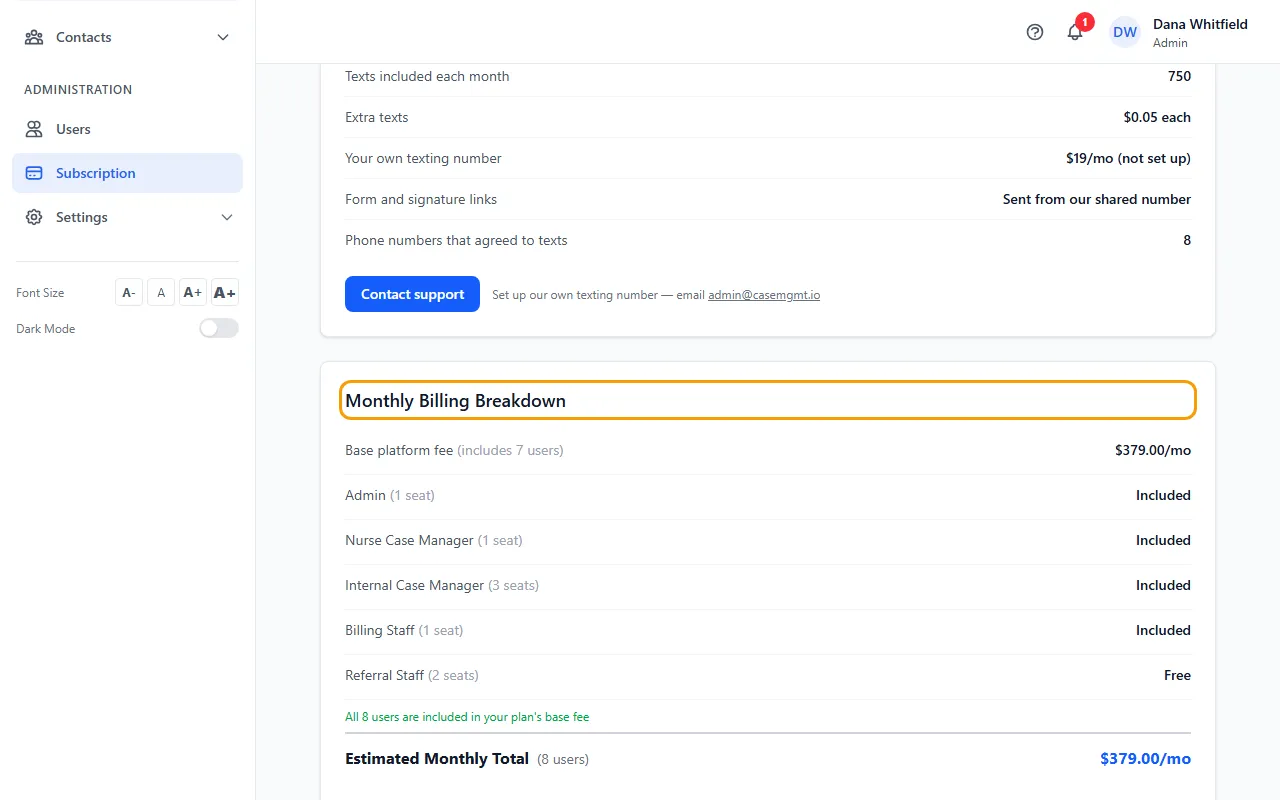
- At the top, Current Plan shows your plan, its status (for example Active or Trialing) and the trial end or next renewal date. After an Admin cancels, it shows the date access ends instead.
- No card yet (during a free trial, or after a subscription ended)? Click Add card & subscribe. Stripe, our payment processor, opens for your current plan; the days left in your trial are kept, so the first charge comes when the trial ends.
- The Texting card shows your texts this period. See What texting costs.
- Monthly Billing Breakdown lists the Base platform fee (with the users it includes) and each role. Free means the role costs nothing; Included means those users are covered by your plan.
- Estimated Monthly Total is the base fee plus any extra users.
Tips
- Active Users counts every active login, including free Referral Staff, so it can be higher than the number of users you pay for.