Read the Billing overview
See money collected and owed, time waiting to be billed, and a month-by-month billed vs. paid report on one screen.
Last updated October 23, 2026
Who can do this: Admin, Billing Staff
Before you start
- Everyone who can open Billing sees the cards at the top. Practice Summary and Monthly Reports fill in only for people with the Manage Billing permission (Admins and Billing Staff by default).
Steps
- Open Billing. The Overview tab opens first.
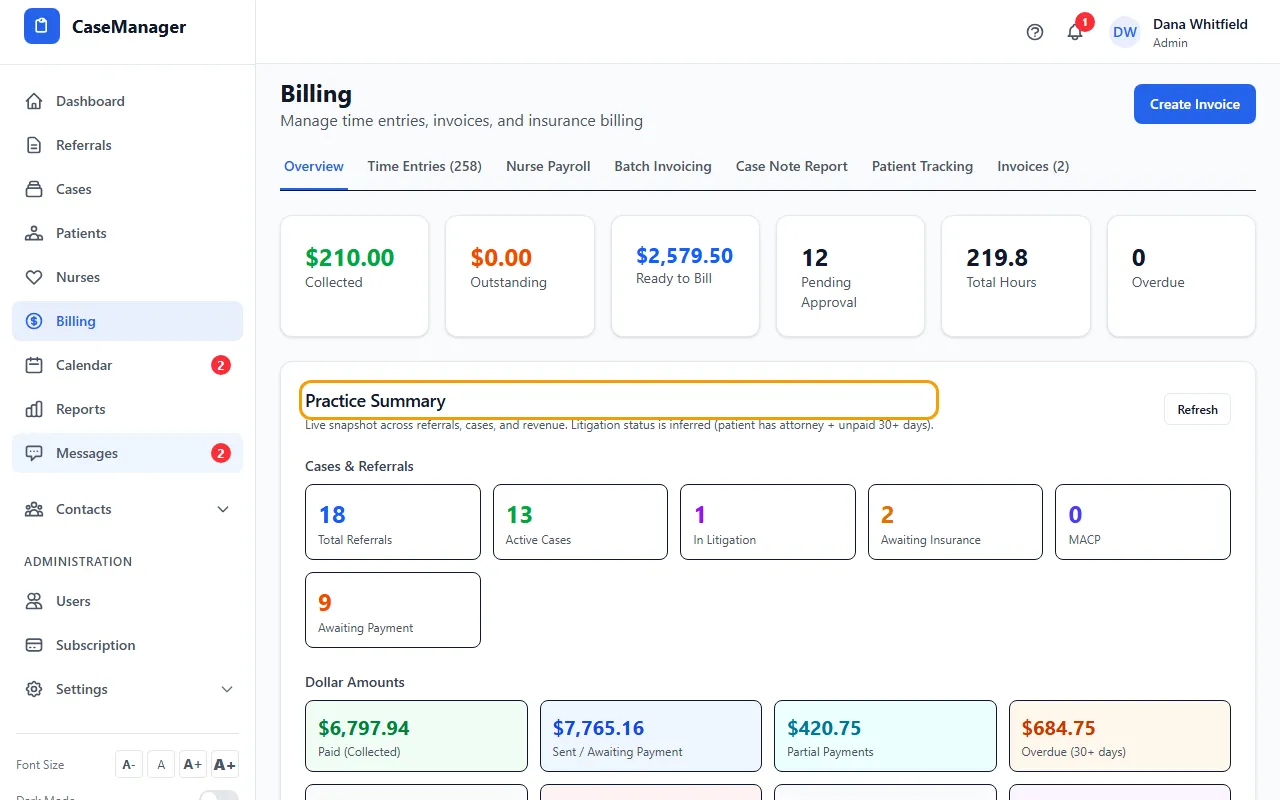
- Read the cards across the top: Collected, Outstanding, Ready to Bill, Pending Approval, Total Hours and Overdue.
- In Practice Summary, click a card under Cases & Referrals or Dollar Amounts to open the matching list. Most dollar cards open Batch Invoicing filtered to that status.
- Click Refresh on Practice Summary to reload its numbers.
- In Monthly Reports, pick a Month to compare what was billed with what was collected, split by referral source.
- Click View All next to Recent Invoices or Recent Time Entries to open the full list.
Where the top cards come from
Collected, Outstanding and Overdue count single invoices and batch invoices together, each bill once, with the same figures as Practice Summary (billed amounts include mileage; voided batches don't count).
Collected is money received on invoices and batches. Outstanding is what every bill still owes, including invoices created but not sent yet and denied claims. Overdue counts bills past their due date: an invoice's own due date, or 30 days after a batch was sent (unless it's waiting for a confirmed payment).
Practice Summary
Cases & Referrals counts referrals, active cases, patients in litigation, patients awaiting insurance, MACP patients and patients awaiting payment. Litigation is inferred: the patient has an attorney and the bill is unpaid 30+ days.
Dollar Amounts splits your batch billing into paid, sent, partial, overdue (30+ days), draft, denied, closed, in litigation, investigation and total outstanding.
Breakdown by Referral Source shows patients, active cases, litigation and money per referral source. Patients with no referral on file are grouped under Direct / Unknown.
Monthly Reports
Billed is batches whose period ends in the selected month (drafts and voided batches are left out). Paid is payments received in that month.
Tips
- The Billing Workflow card shows how many time entries are logged and approved, and how many invoices are sent and paid.