Fill out a form and save it as a PDF
Fill out a patient's form in CaseMgmt; their details fill in for you, and the finished PDF is filed in their Documents.
Last updated October 22, 2026
Who can do this: Admin, Nurse Case Manager, Internal Case Manager
Steps
- Open the patient, click the Forms tab and pick the sub-tab the form is on.
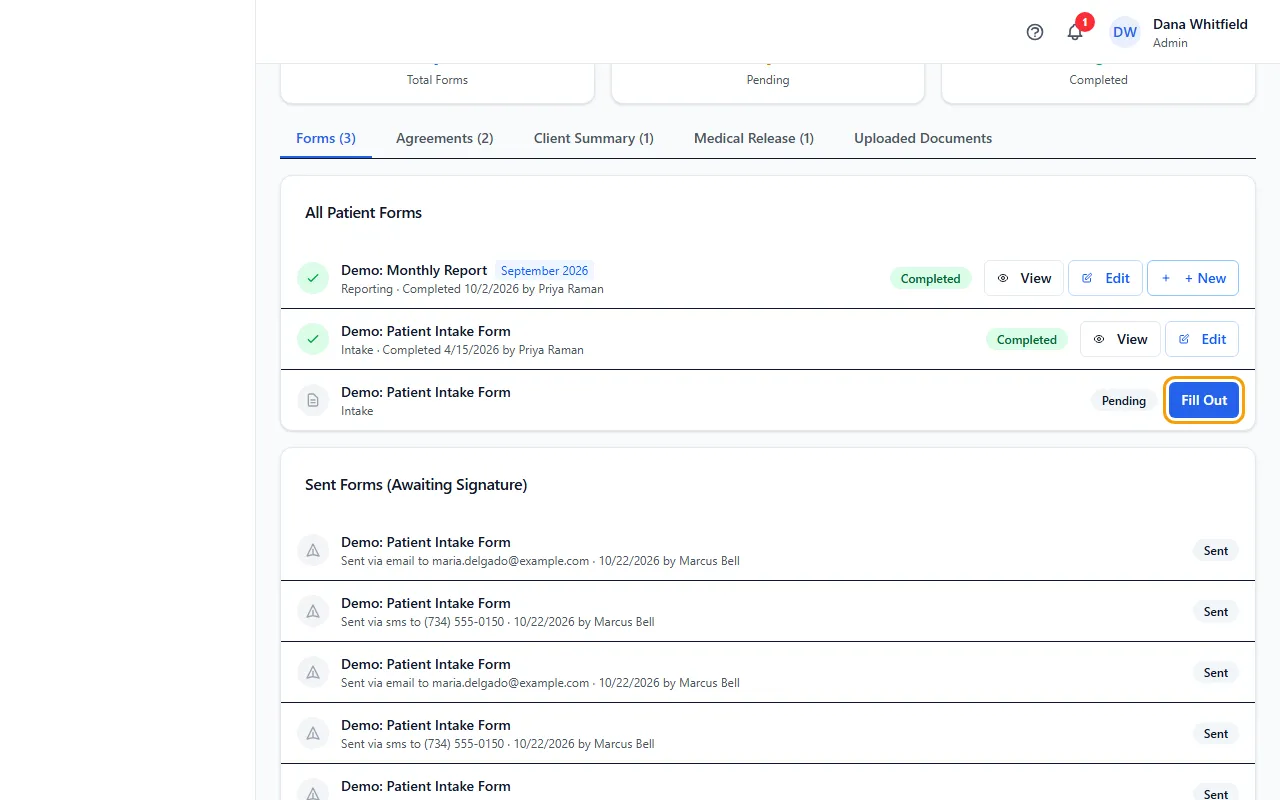
- Click Fill Out next to the form. This works both for forms already on the patient's list and for forms under Available Forms.
- Check the details that filled in from the patient's file (name, date of birth, address, insurance, attorney, case manager and more) and fill in the rest. Fields marked * are required.
- To stop and finish later, click Save Draft. The form shows In Progress.
- When you're done, click Complete & Save to Folder. CaseMgmt makes the PDF and files it in the patient's Documents.
- Click View on the completed form to open the PDF.
Where the PDF is saved
Monthly Report forms go to the Monthly Reports folder, inside a folder with the patient's name, then a folder for the report month (for example October 2026).
Forms with "Attorney" or "Adjuster" in the name (such as the client summaries) go to the Attorney Updates or Adjuster Update folder the same way.
Progress reports go to a Progress Reports folder, Physician Office Visit forms to POV Forms, and the Demographic Form to Demographics Folder. Most other forms go to Onboarding Folder.
If the folder isn't there yet, CaseMgmt creates it.
Fix a completed form
Click Edit on the completed form, change what you need and click Update & Regenerate PDF. The new PDF replaces the old one in Documents.
You can also open the PDF on the Documents tab and click Edit Form, then Save & Update PDF.
Tips
- On forms with a signature line, empty date fields that don't come from the patient's file fill in with today's date.
- Need the patient to sign it? Use Send instead. See Send a form to a patient.
If something goes wrong
- The message says the form was completed but shows "PDF save issue".
- The form is saved but the PDF wasn't made. Click Edit, then Update & Regenerate PDF to try again. If it keeps failing, contact support.
- "Failed to submit form", or Fill Out does nothing.
- Filling out forms needs permission to edit patients. Admins, Nurse Case Managers and Internal Case Managers have it by default; ask your Admin.