Your first day as a Nurse Case Manager or Internal Case Manager
Sign in, set up your email and time zone, then find your patients, log case notes and send forms.
Last updated October 22, 2026
Who can do this: Nurse Case Manager, Internal Case Manager
Before you start
- You need the invite email from your company, or a password from your Admin. See Set up your account from an invite email.
Steps
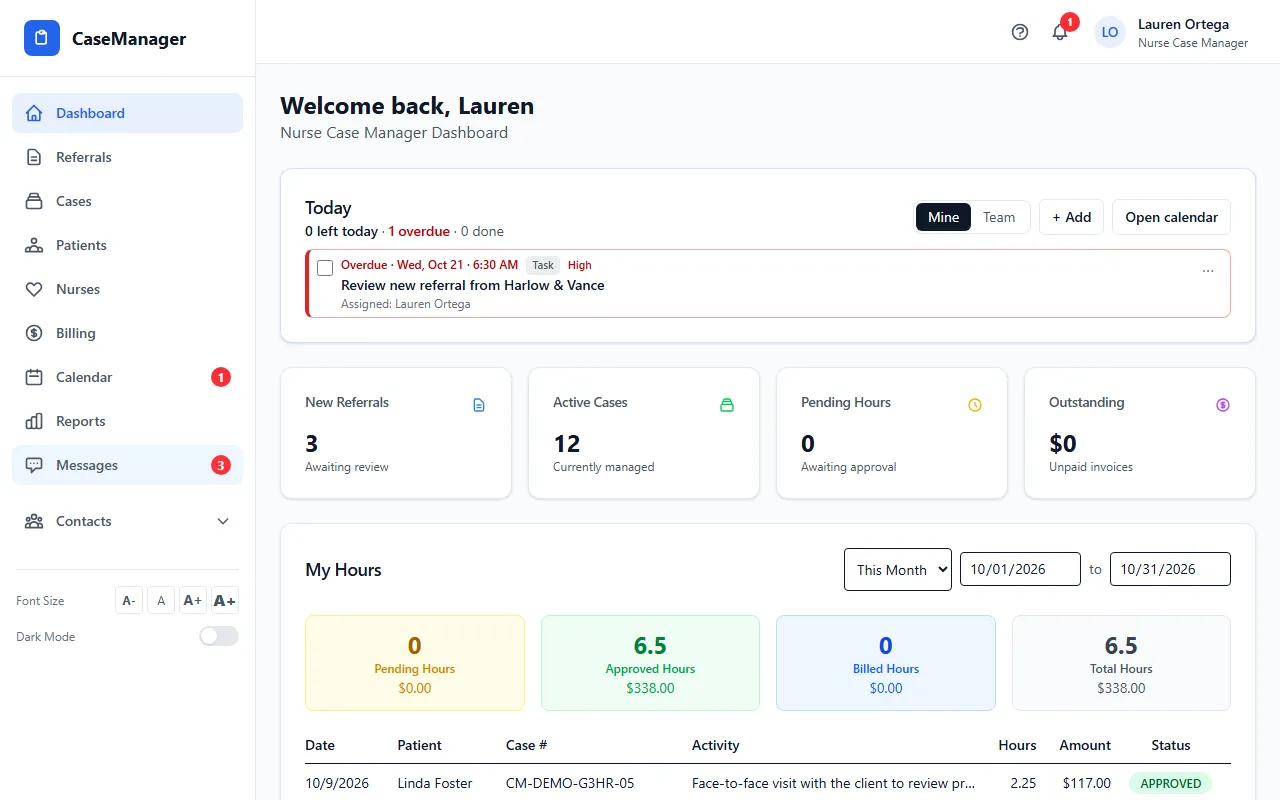
- Sign in. Your Dashboard shows the Today card (your calendar items due today, overdue included) and My Hours for the period you pick.
- Click your name at the top right and open My Settings. Fill in My Email Configuration and click Send Test Email, so forms you send by email reach your patients.
- In My Settings, check your Time zone. It sets when your reminder emails and morning summary arrive.
- Open Patients and click a patient to open their file. The tabs across the top hold the case notes, forms, documents and more.
- Log a visit, call or other work on the Case Notes tab with + Add Case Note, then Save Case Note. Your time and mileage are billed from your case notes.
- Send forms to sign with the Forms tab (see Send a form to a patient) and put follow-ups on the Calendar (see Add an appointment, follow-up or task).
Nurse Case Manager or Internal Case Manager?
Both roles see every case, add patients and cases, and log work. Only Admins and Nurse Case Managers add or remove the case managers assigned to a patient or case.
Your Admin can change what you can do, one permission at a time. See Roles explained.